Features

Every feature starts with your study session.

EstudyLog connects what you studied, how you studied, when you focused, and what still needs work. Same account and the same data on every platform.

The complete app, and the one every feature lands on first. Everything below ships today on iOS and iPadOS.

Download on the App Store

Free to download. Requires iOS or iPadOS 18 or later.

01

The session itself

Everything in Estudylog is built from one study session, so the act of running one gets the most attention.

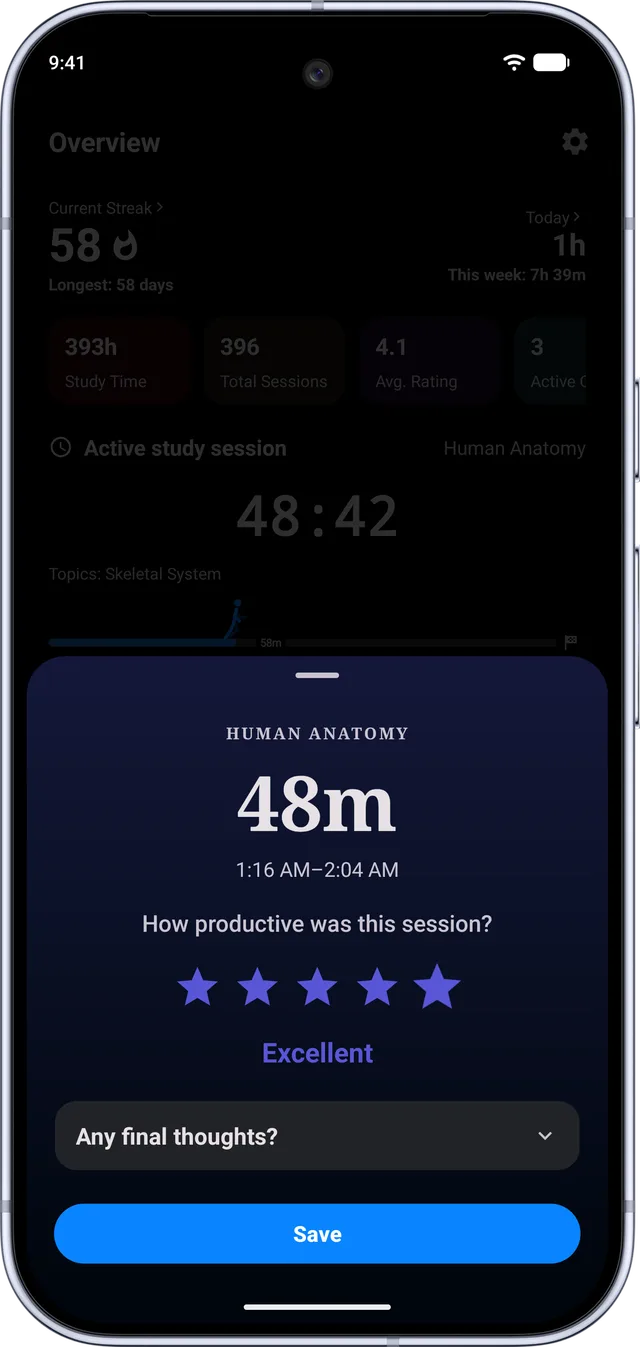
The study timer

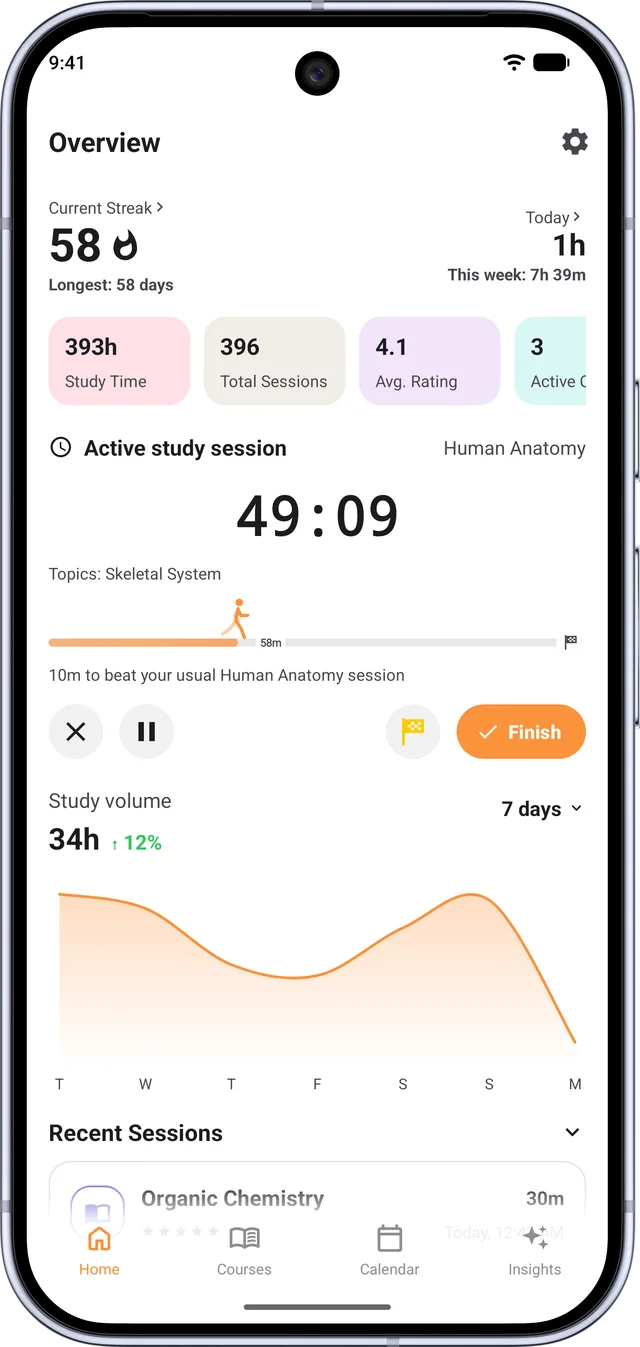
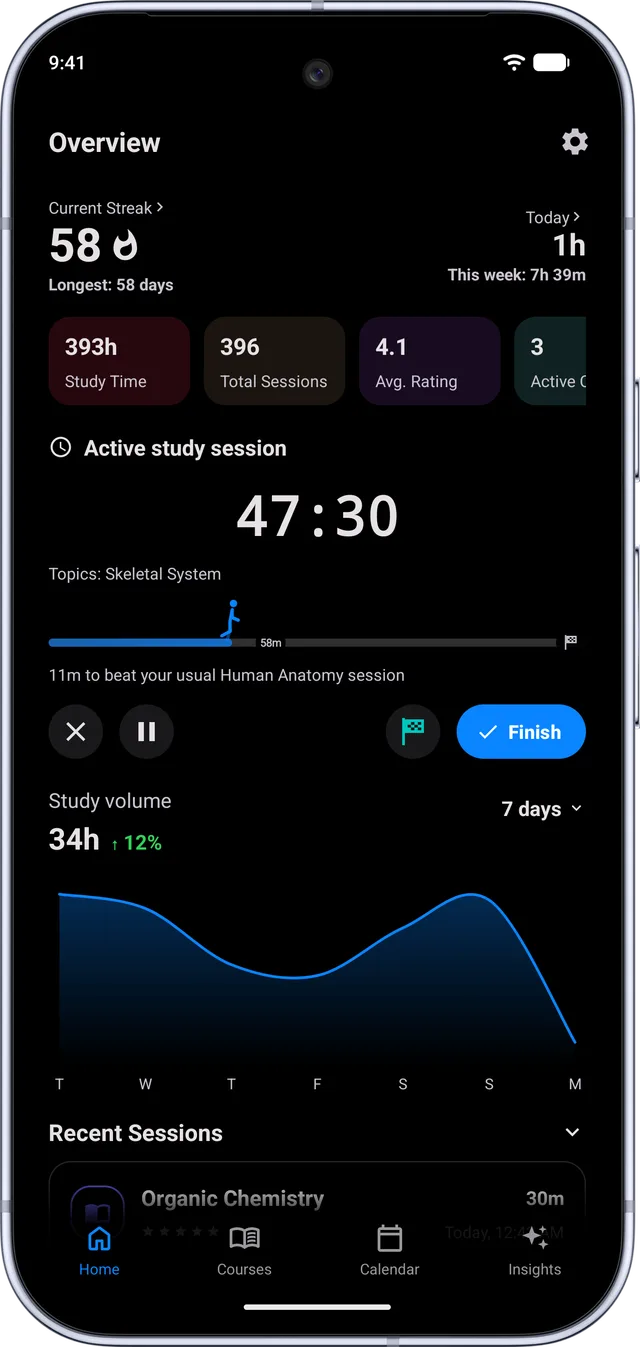
A single live timer, aware of its own pauses. It keeps counting if you leave the app and it survives a relaunch, so a crash or a phone restart in hour three does not cost you the session.

  • Pause and resume as often as you need; paused time is excluded from the total
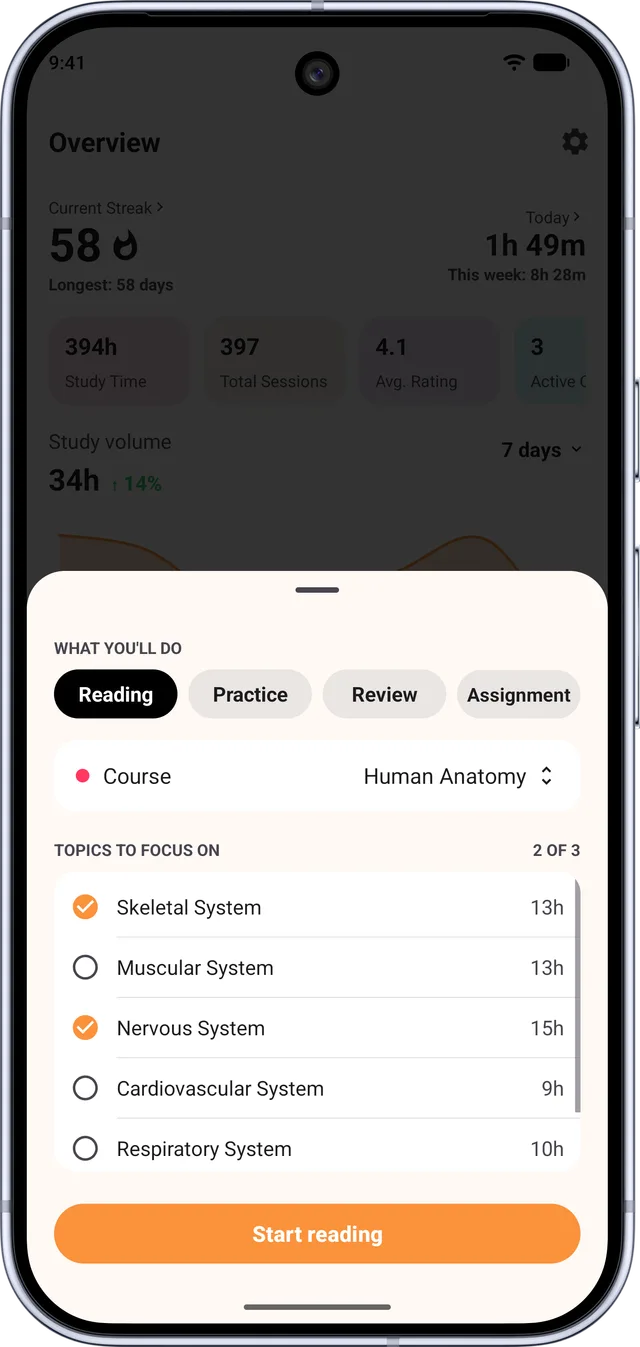
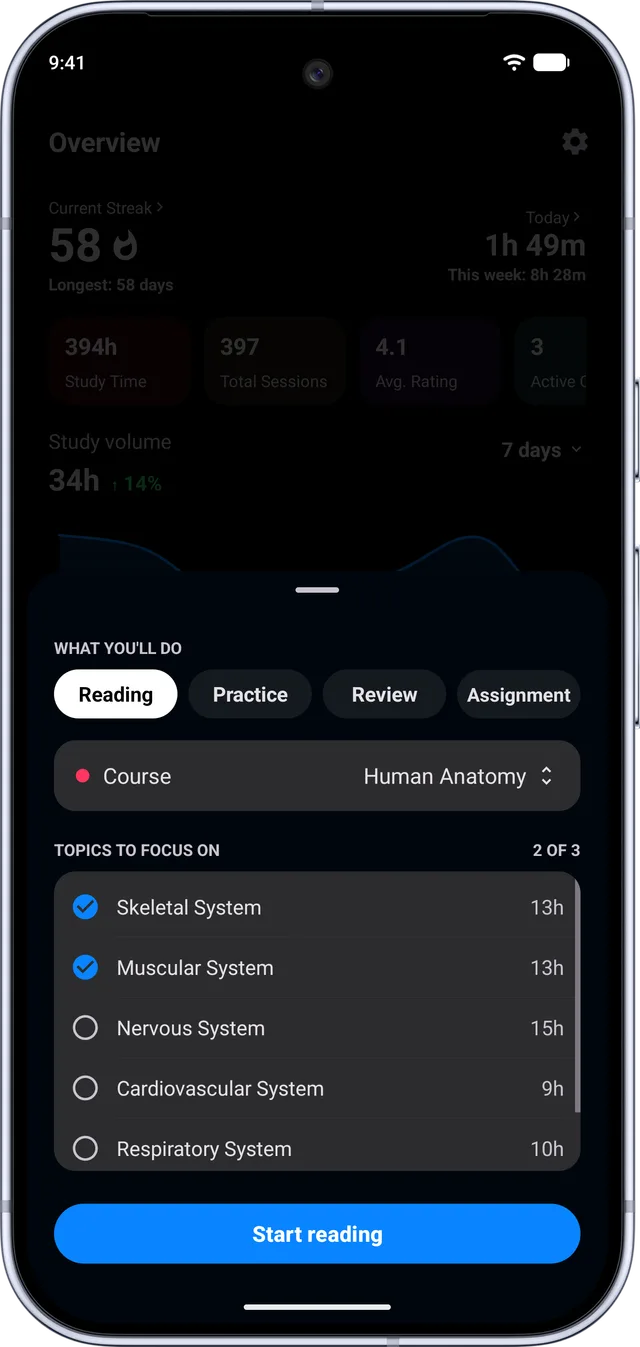
  • Four session types: Reading, Practice, Review and Assignment
  • Notes on the session, written while you work or at the end
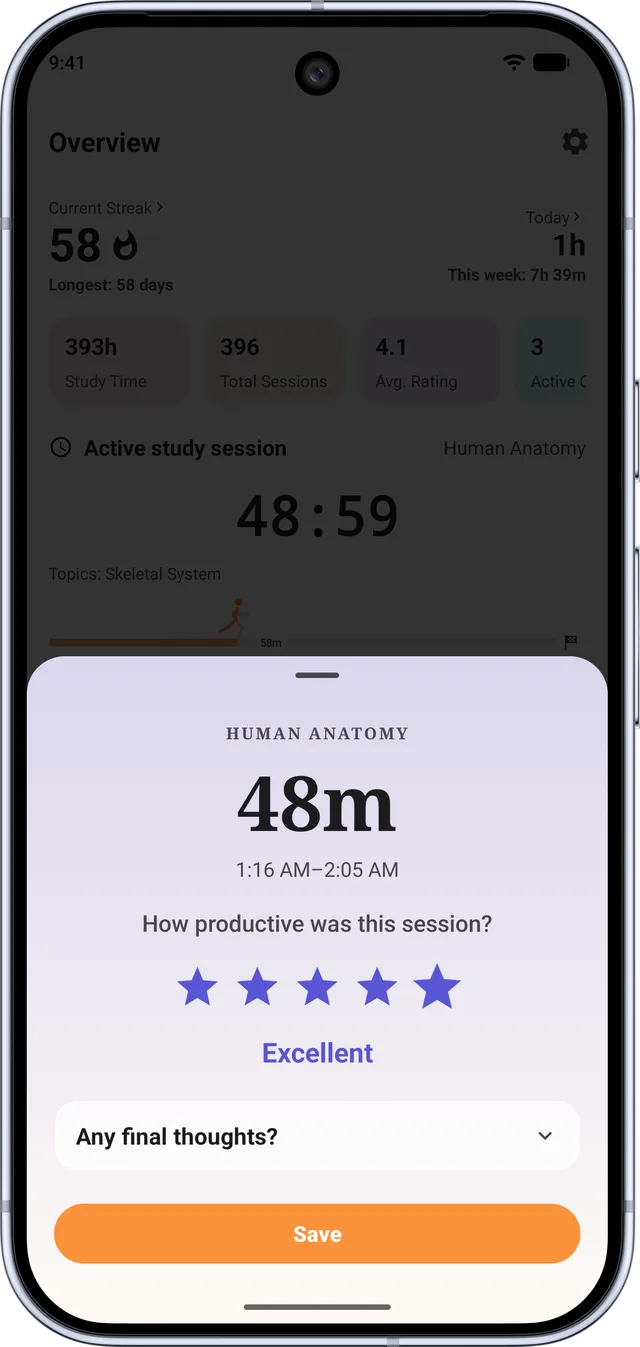
  • A 1 to 5 focus rating when you finish, which is what later powers the insights
Full screen focus mode

An immersive timer that takes over the screen: a large clock on an animated colour mesh, sized to the space it is given.

  • Six backdrop palettes: Signature, Aurora, Twilight, Ember, Tide and Graphite
  • Shuffle for a different mood without picking one
  • Use one of your own photos as the backdrop instead
  • A night overlay that fades a field of stars in over the darker palettes

The session ticket

Finish a session and Estudylog renders it as a boarding-pass stub, punched perforation and all, then puts that image straight on your clipboard. Paste it into Notes, Obsidian, Notion or a journal beside that day s writing.

  • Happens automatically on finish, with no prompt and no extra tap
  • Carries the date, the course in its own colour, the duration and the session type
  • Settings shows a live ticket built from your most recent session, so you can see what will be pasted

Lo-fi focus sound

Study audio generated on the device rather than streamed, so it costs no data and keeps working in airplane mode.

  • Several packs to choose between, each with its own character
  • Lock screen and Control Centre transport controls
  • Pins a pack so the same one comes back next session
  • Parks itself when you pause the timer and picks up when you resume

Studying together

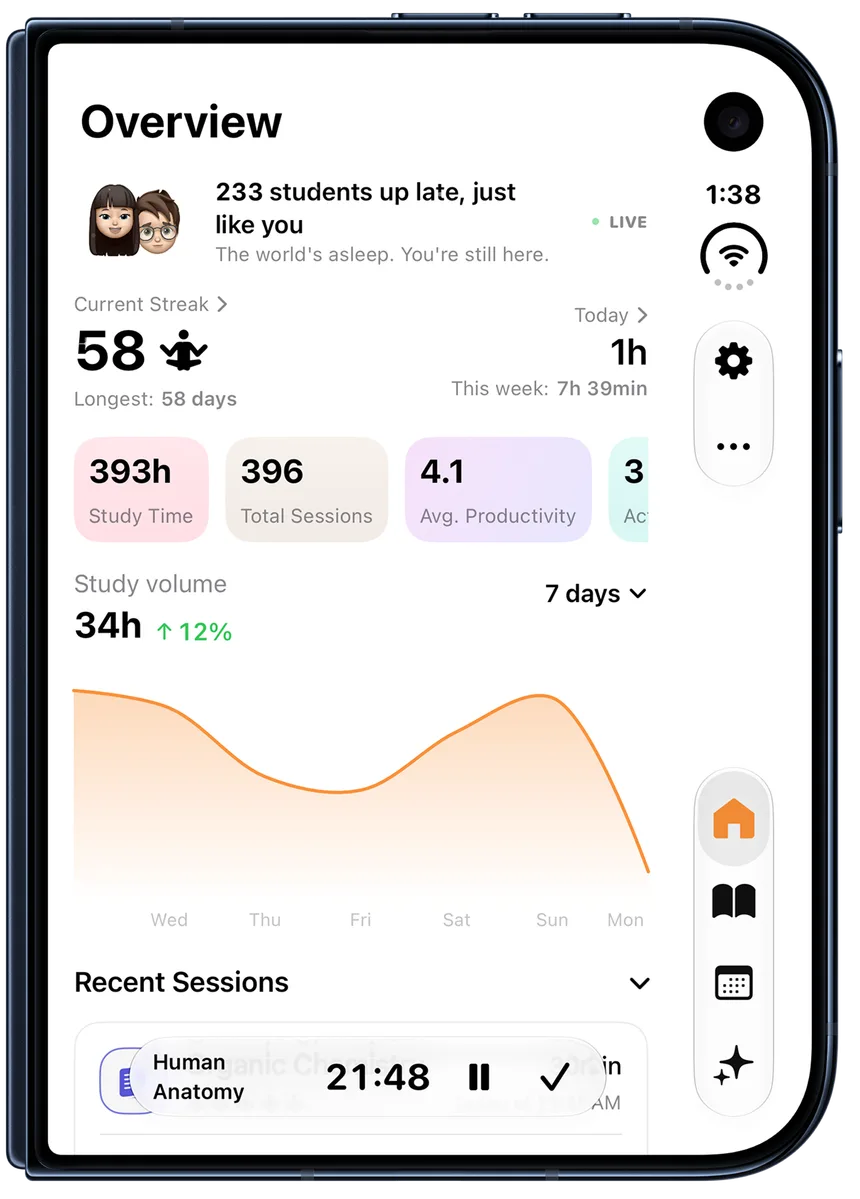
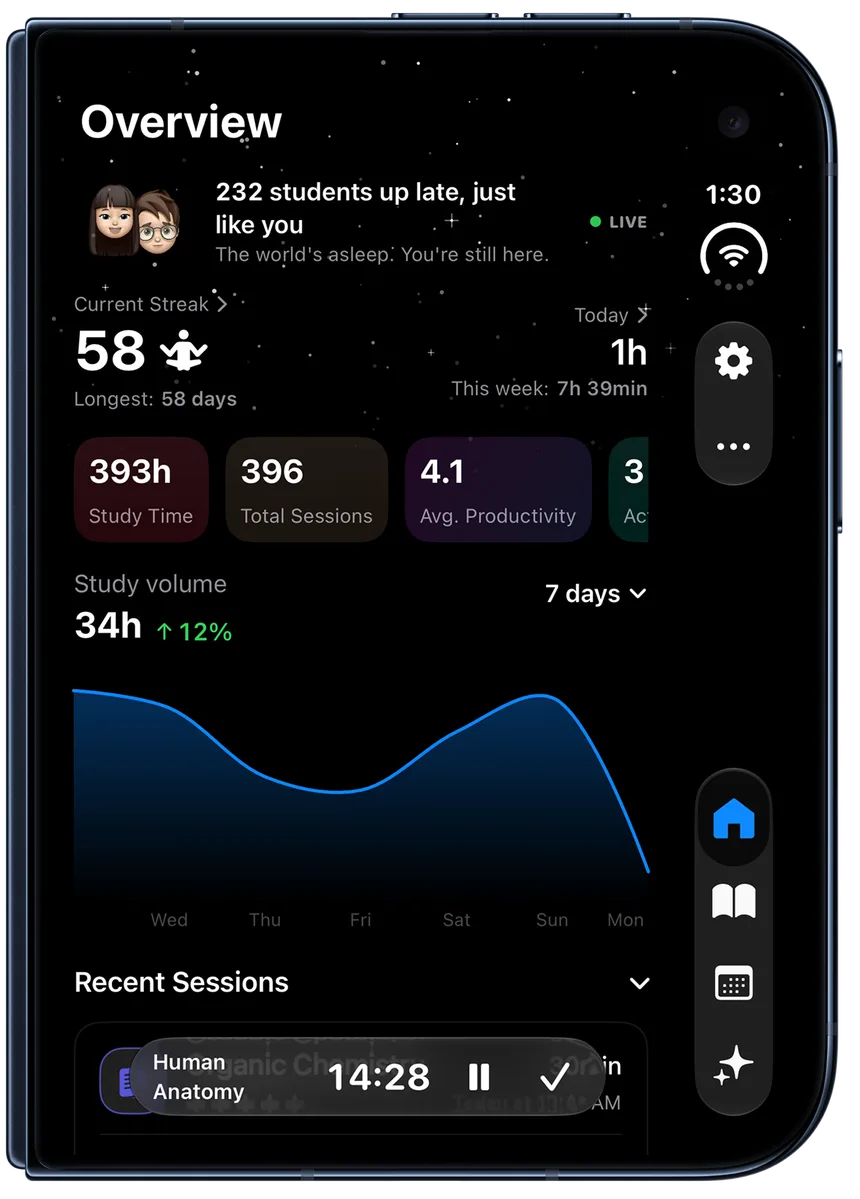
An optional banner while a session runs, showing roughly how many other students are working at the same time. The figure follows your local hour, so it is quiet at 3am and busy in the evening.

02

Courses

A course is more than a name and a colour, because the details are what make the numbers mean something in April.

What a course holds

Enough structure that a course can answer questions later, without turning setup into data entry.

  • Name, course code, colour, term and year, credits
  • Professors, and the university it belongs to from a built-in catalogue
  • Start date, goal date, final exam date, and your final grade when it arrives
  • Status of active, paused, completed or archived, so finished courses leave the way without losing history

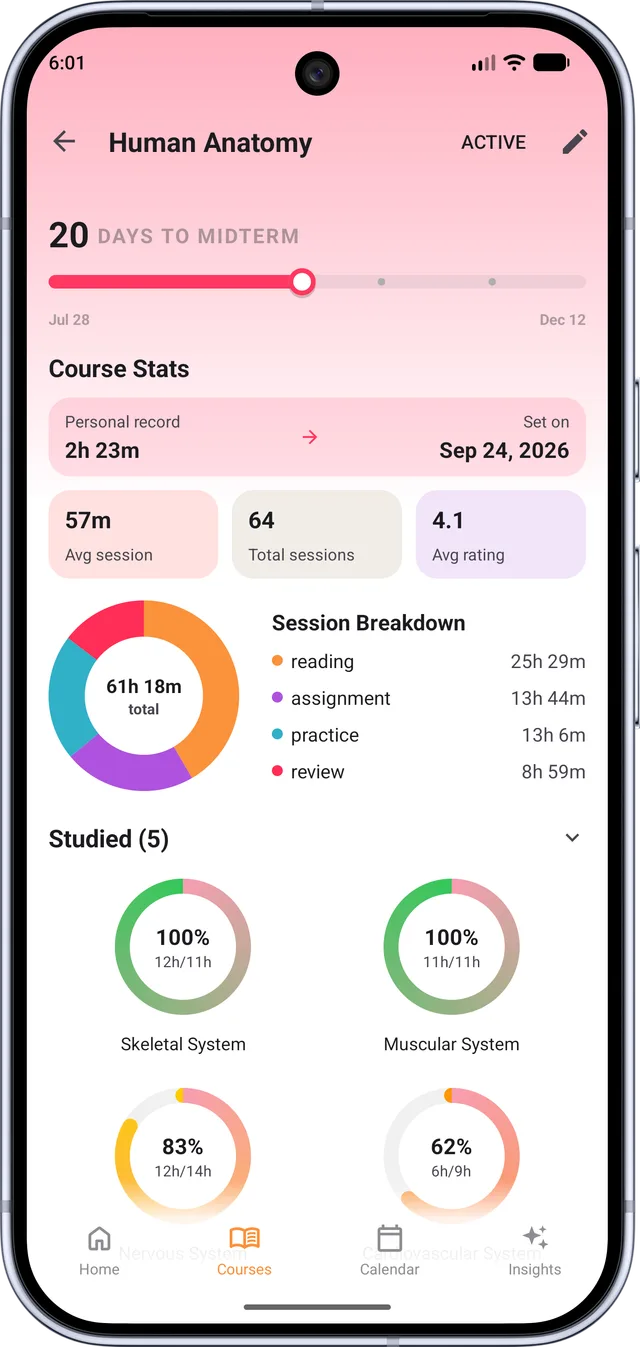
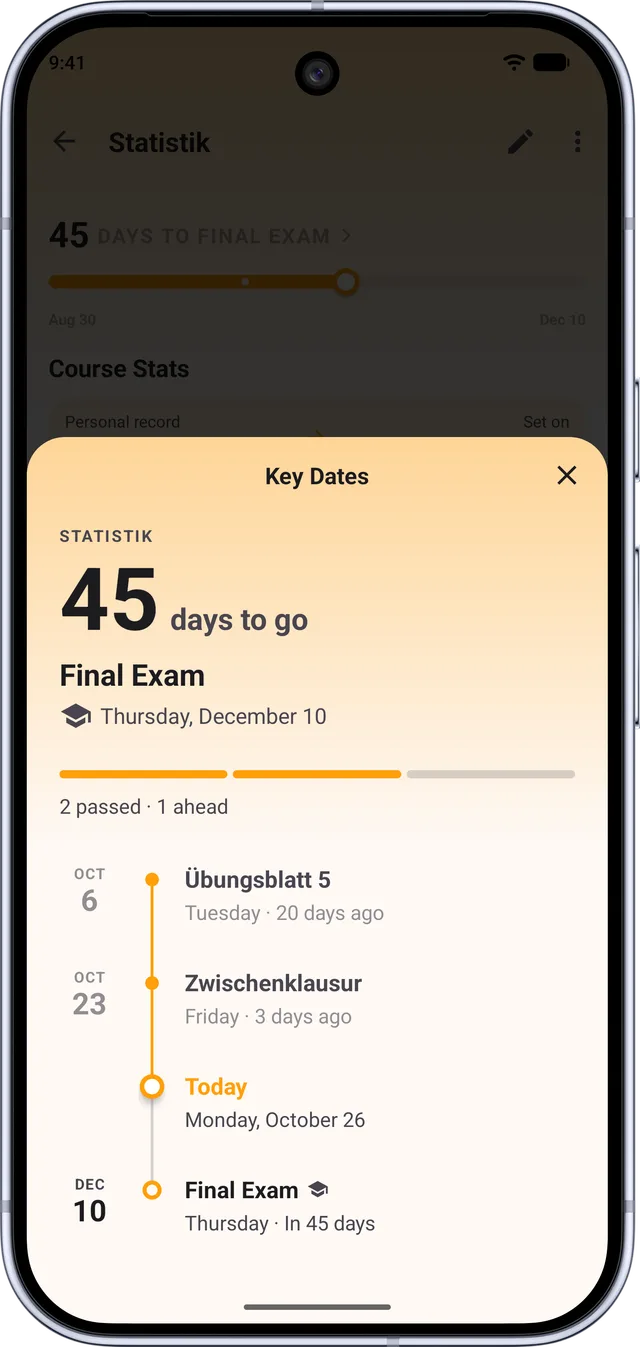
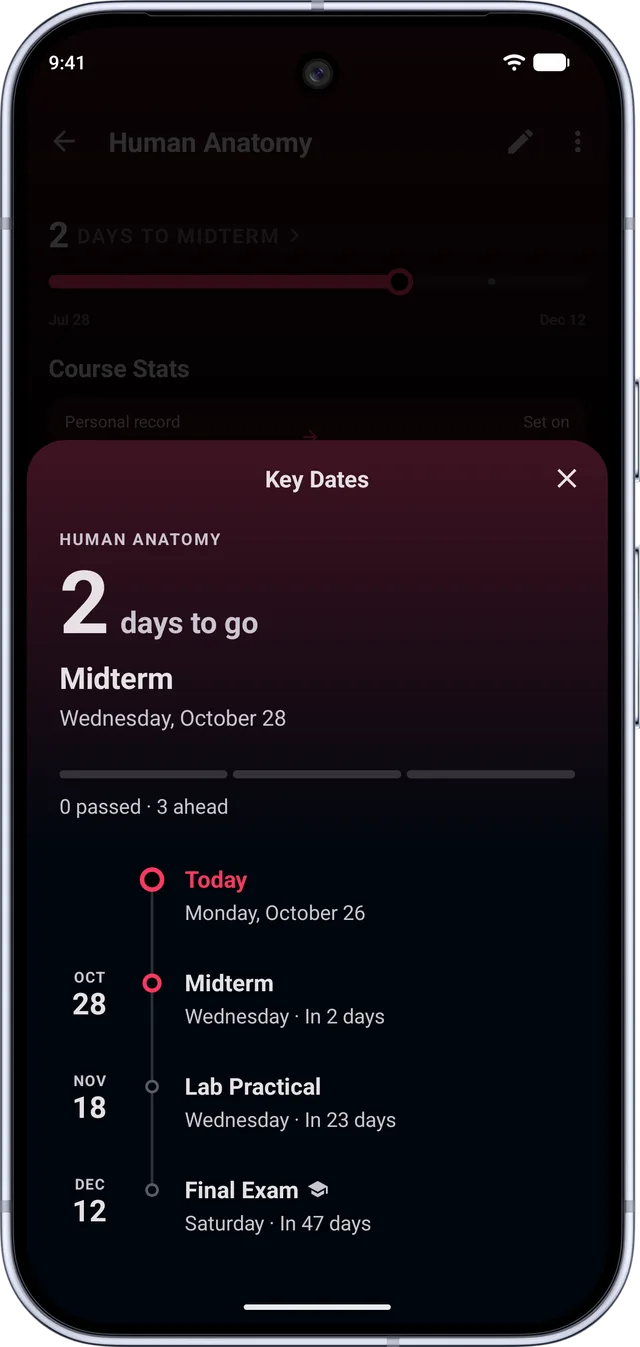
Key dates and countdowns

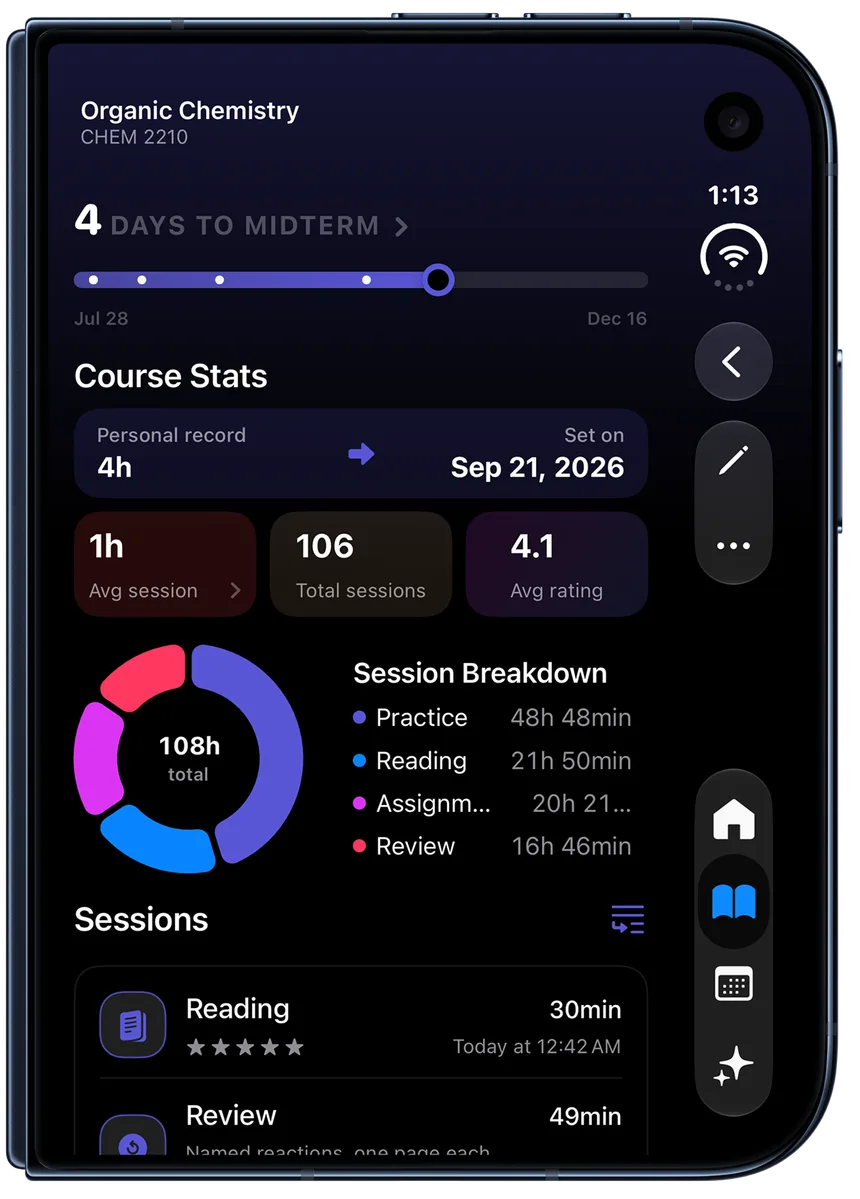
Named dates on a course, each with a live countdown on the course card and in the countdown widget.

  • Midterms, finals, assignment deadlines, or anything else you name
  • Optional reminders, delivered at a time of day you choose
  • A today chip when a key date has arrived

Topics, with targets

Break a course into the things you actually have to learn, and give each one a target amount of time.

  • Add topics by hand, with a target in minutes per topic
  • Or paste your syllabus and have the topics extracted from it
  • Attach the topics you covered to a session as you save it

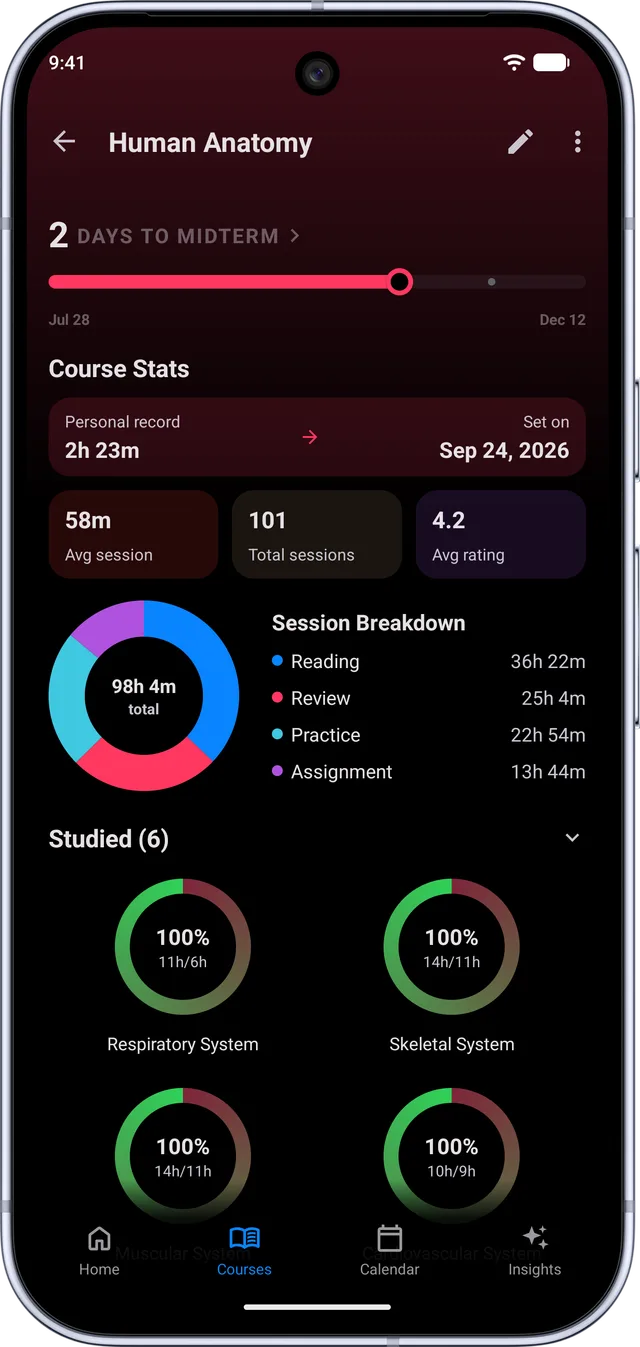
Topic coverage

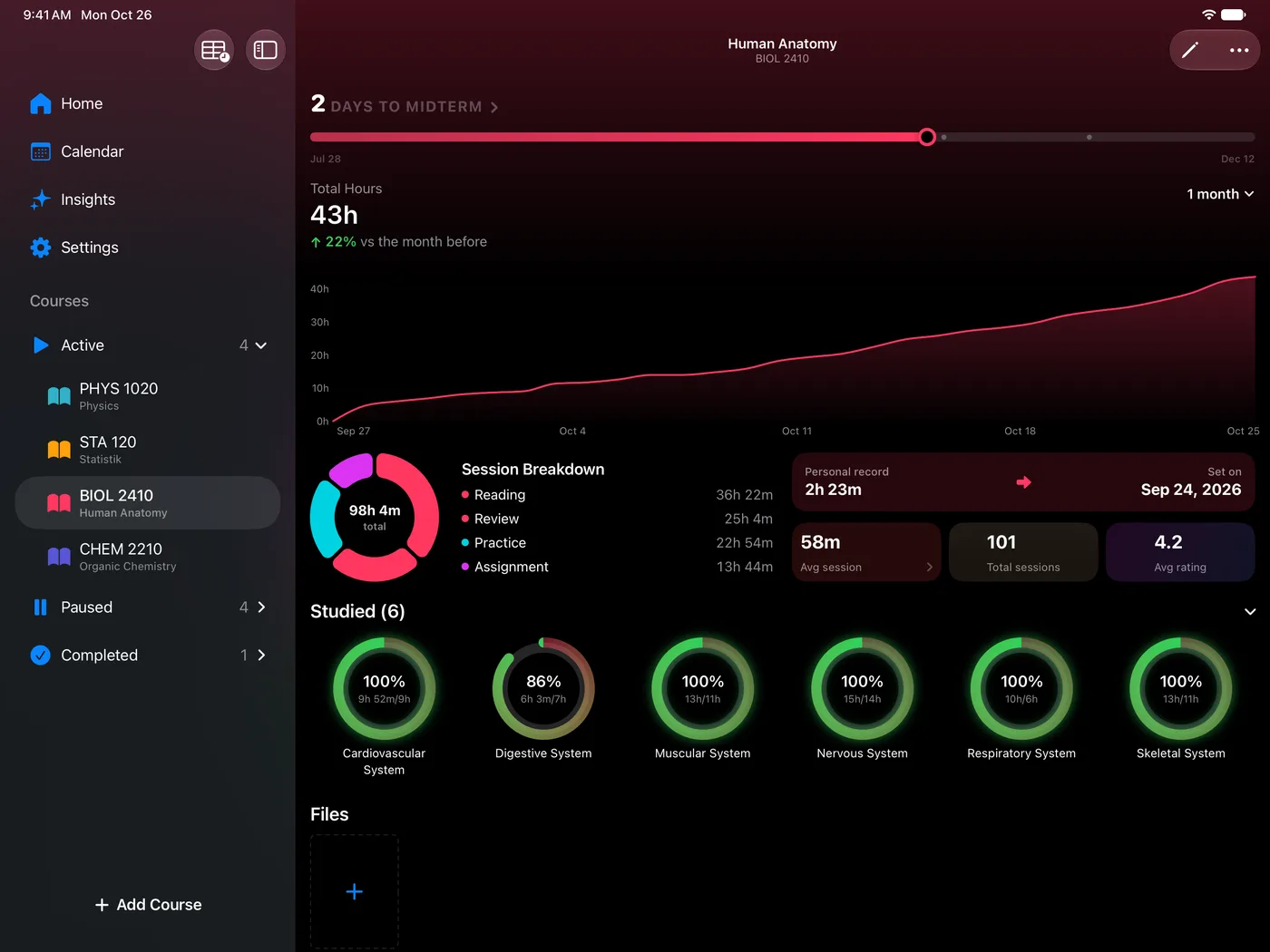
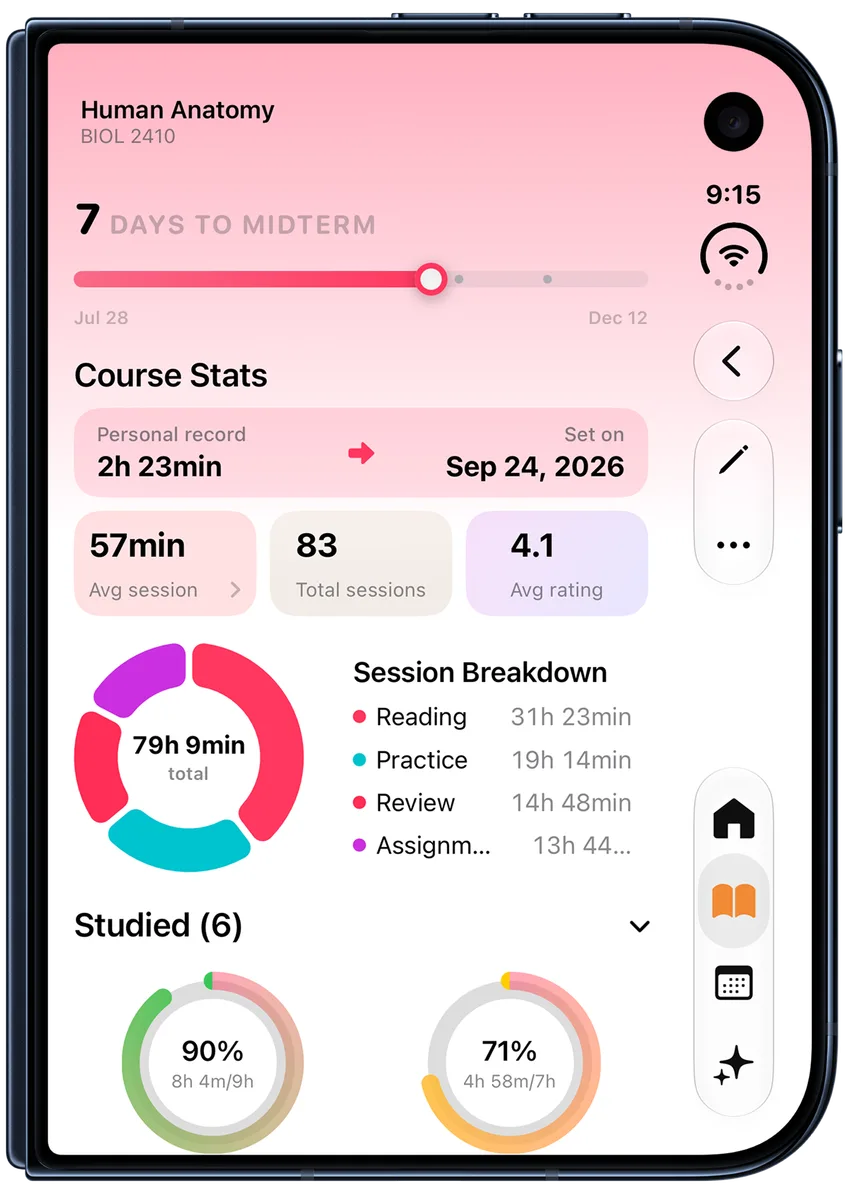
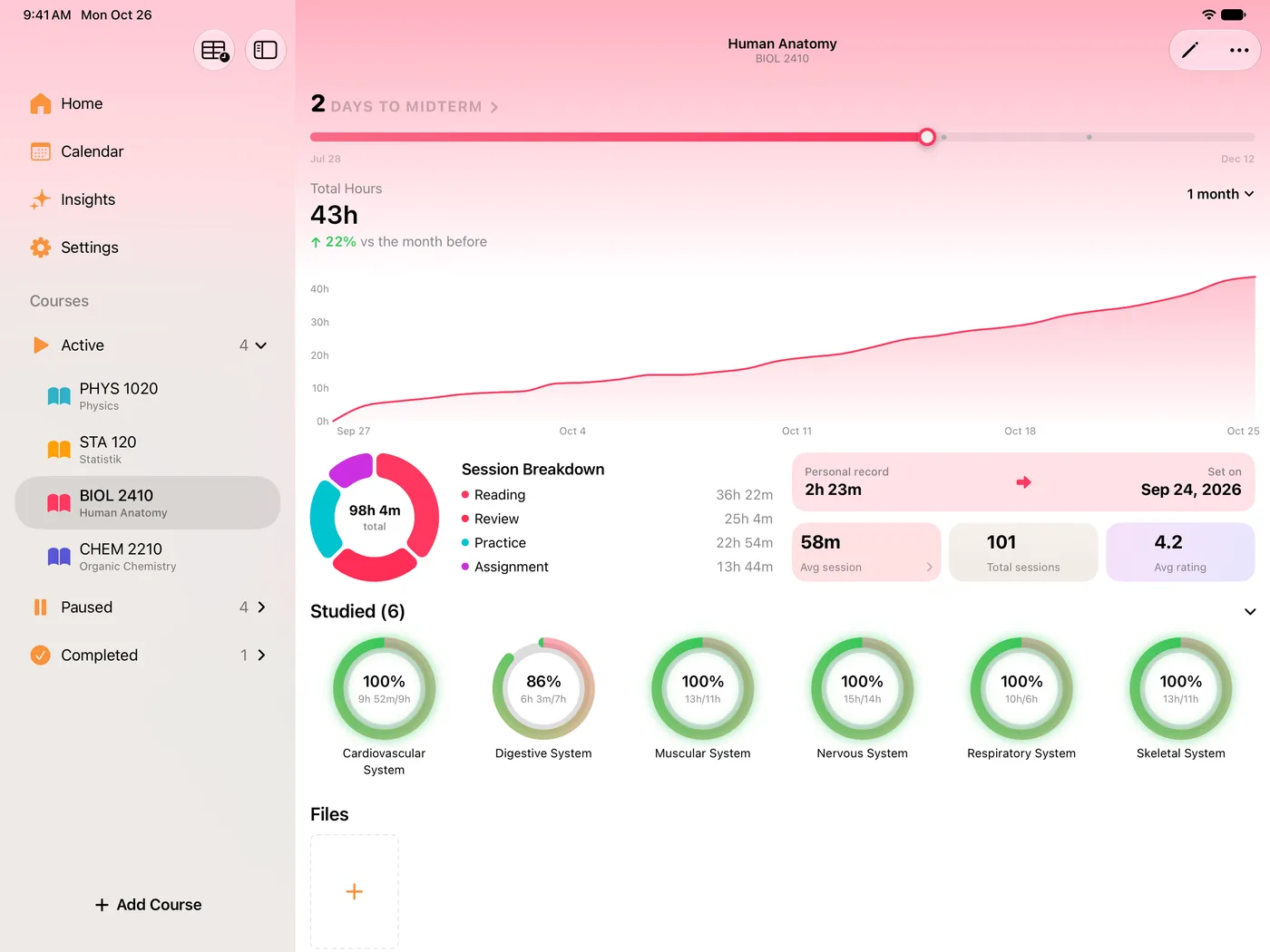
The panel that answers the uncomfortable question: which parts of this course have I never once opened?

  • Minutes and percentage against target, per topic
  • Sort by name, by percentage, or by minutes
  • Filter to just the studied topics, or just the untouched ones

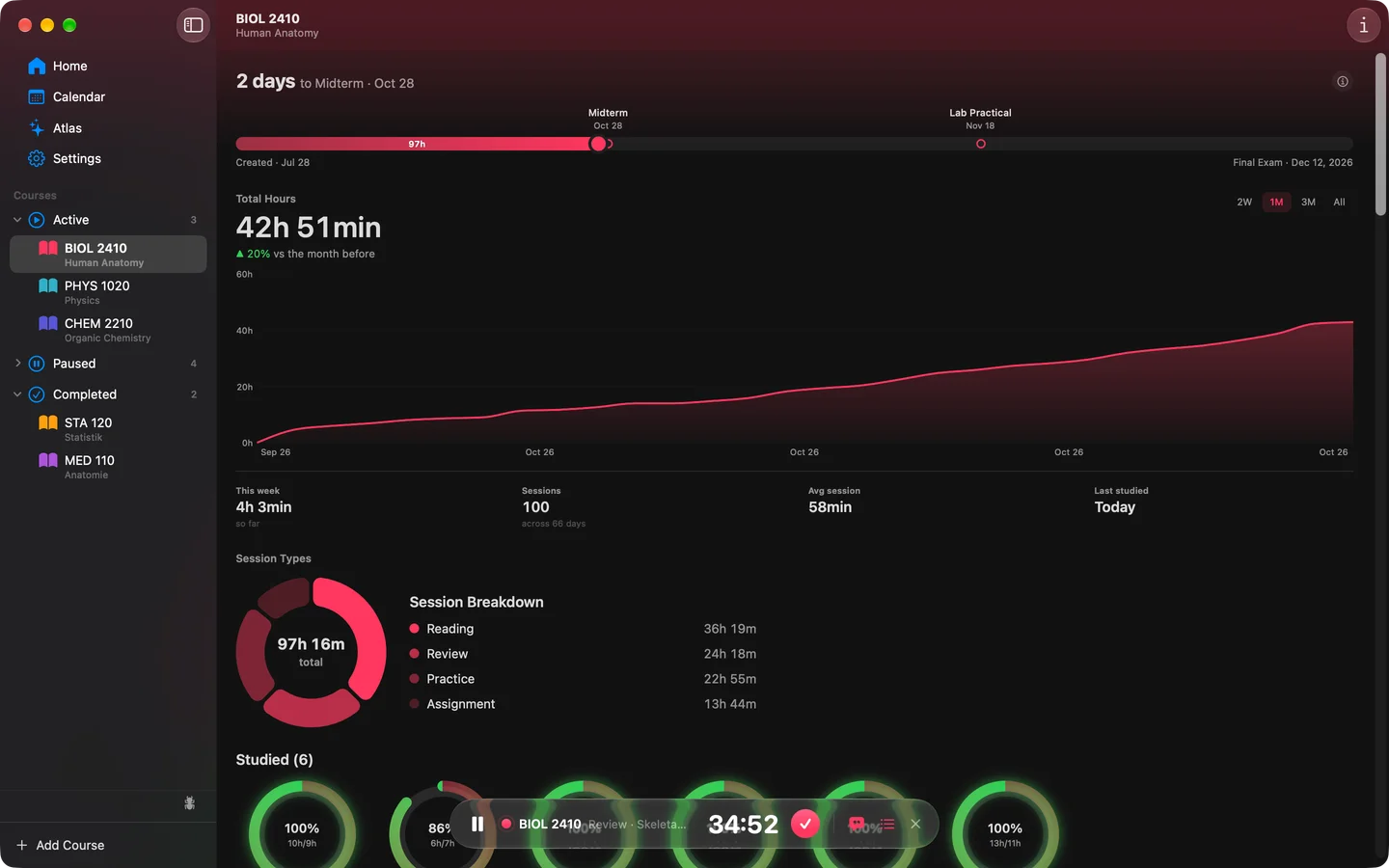
Course timeline

A single bar running from the day you created the course to its final exam, with your key dates marked along it and today s position on it.

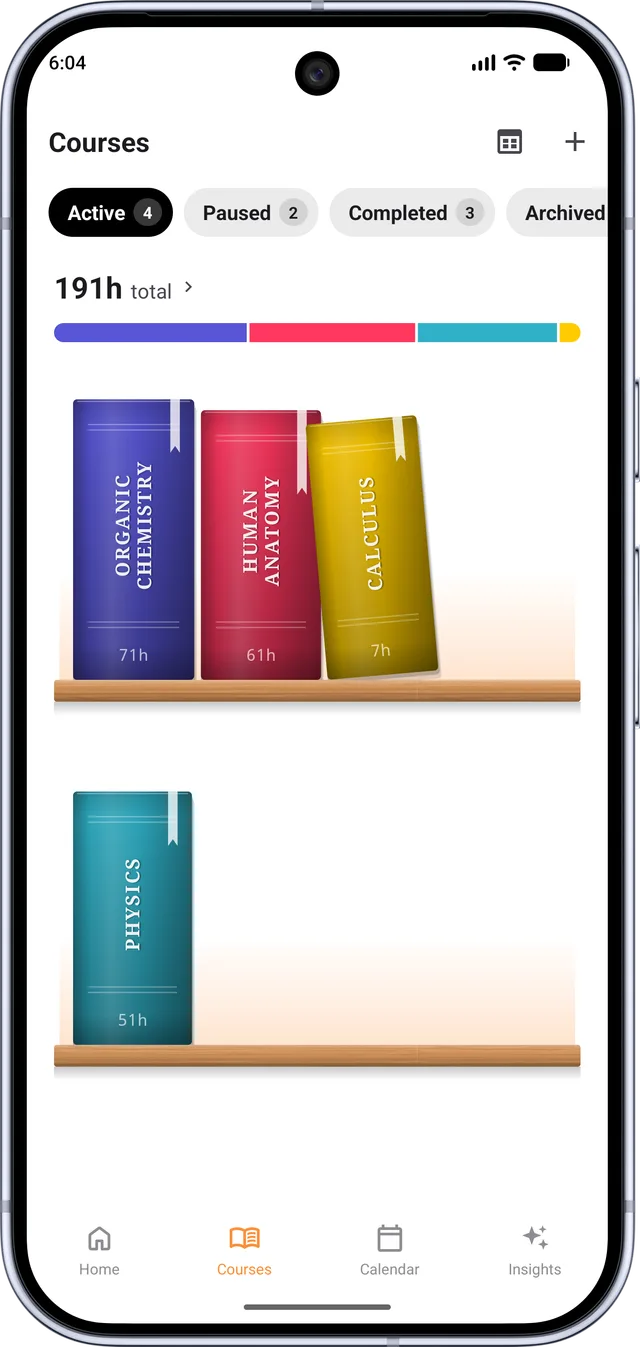
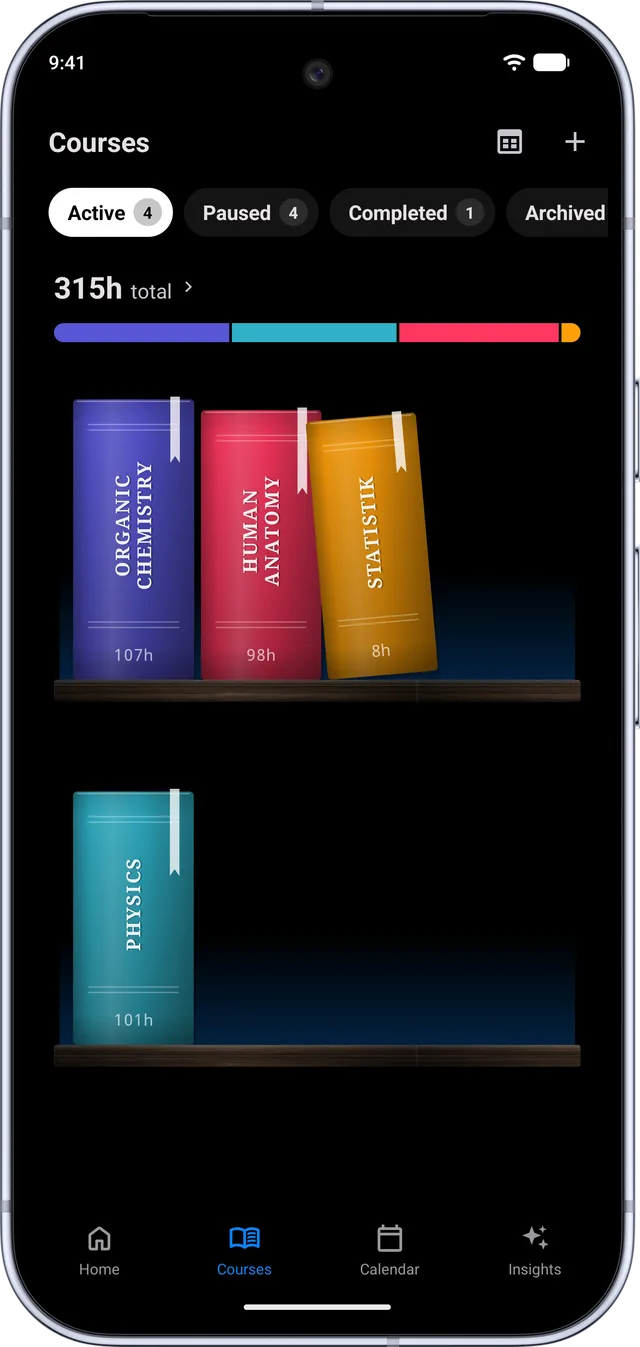
The bookshelf

Your courses as books on a shelf rather than rows in a list, restyled to taste.

  • Pick the book cover style, the progress ribbon and the shelf itself
  • A live preview built from your own course titles and colours
  • Set a photo behind the shelf if you want one

03

Insights and history

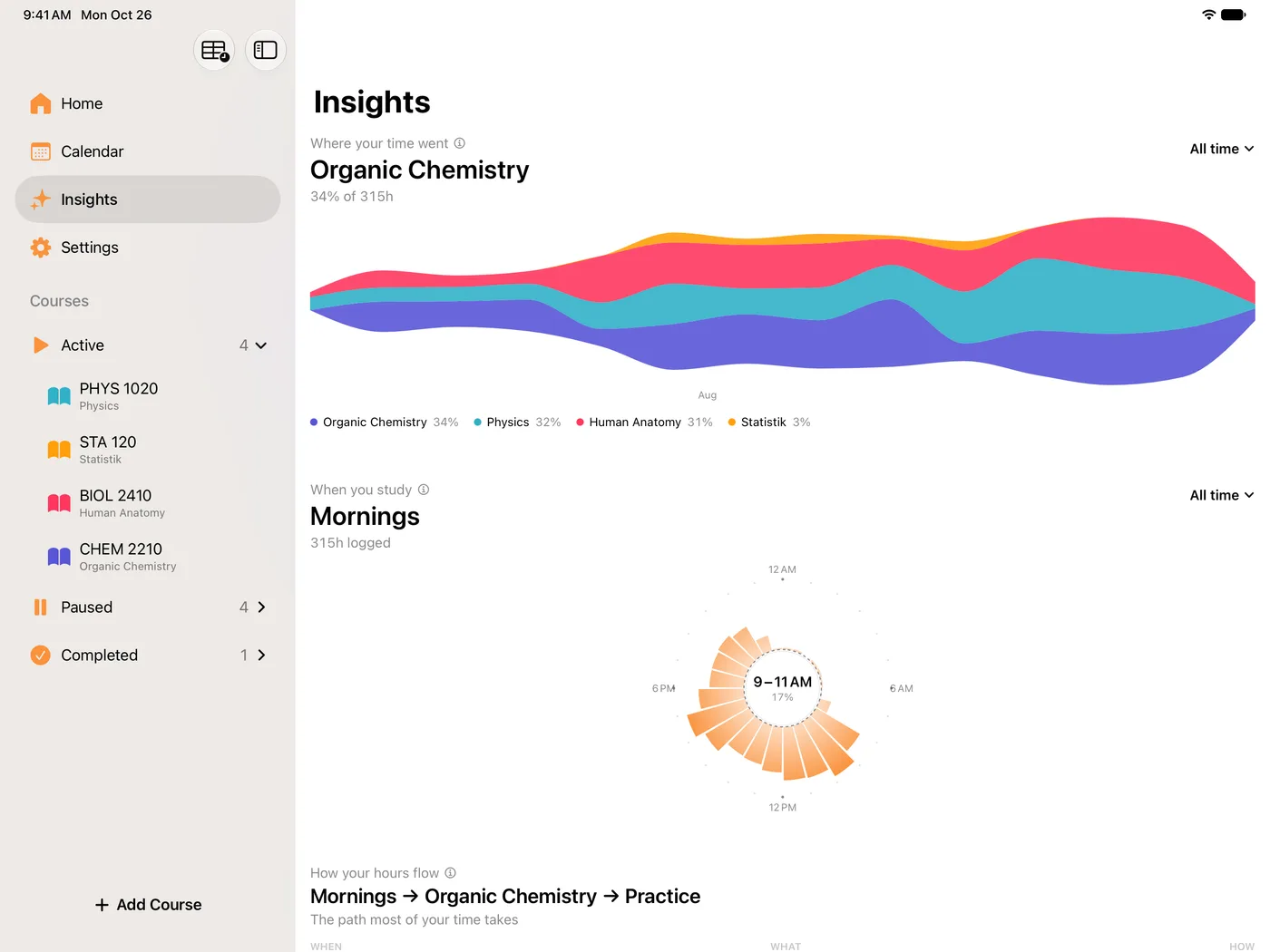
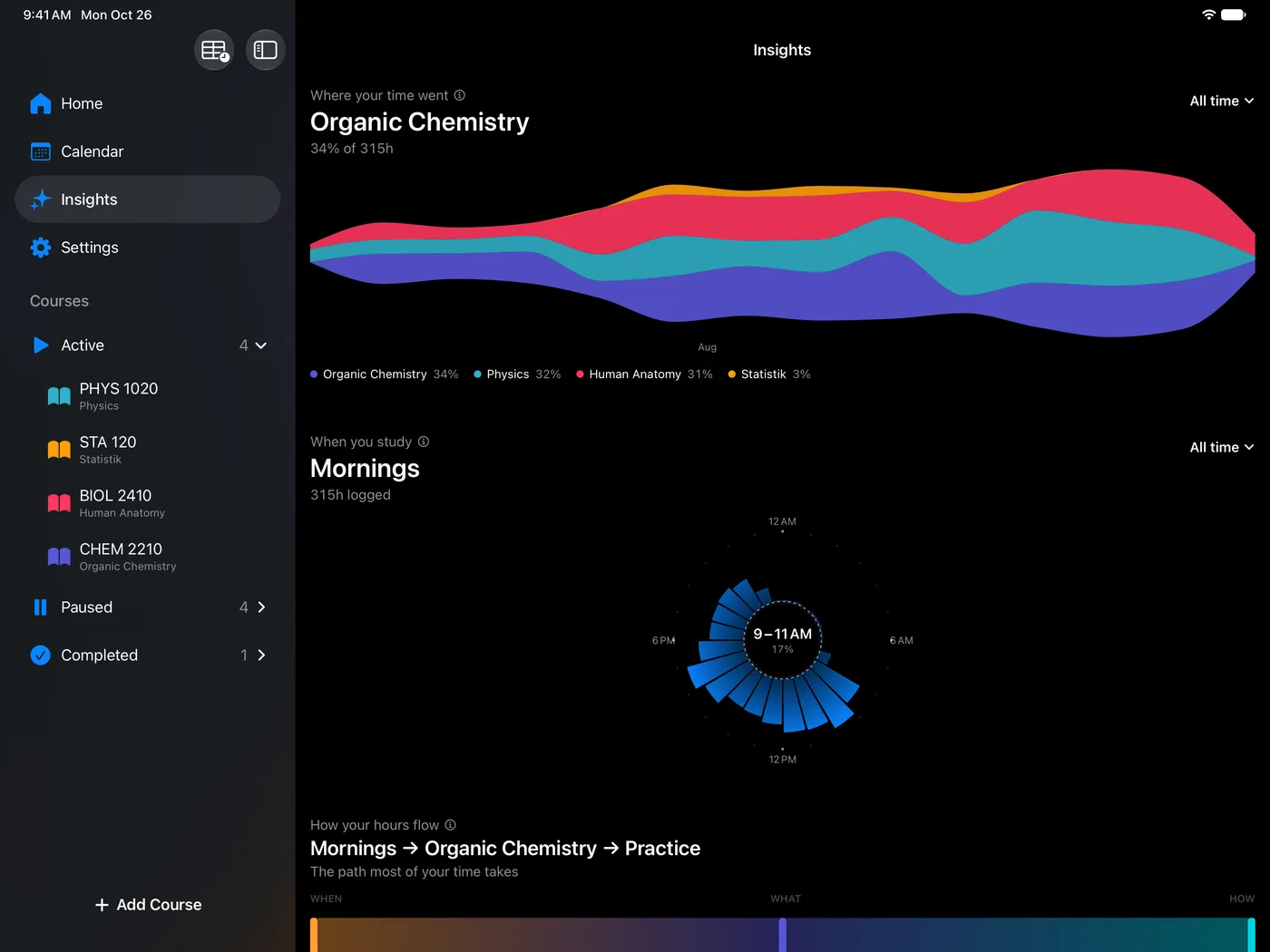
All of it computed from sessions you already logged. Nothing here asks you to fill in a survey.

Peak hours

Your focus ratings plotted against the hour of day you were working, so the hours where you actually concentrate stop being a guess.

Focus by day of week

The same treatment across the week. Useful for spotting the day that always looks productive but never rates well.

Personal records

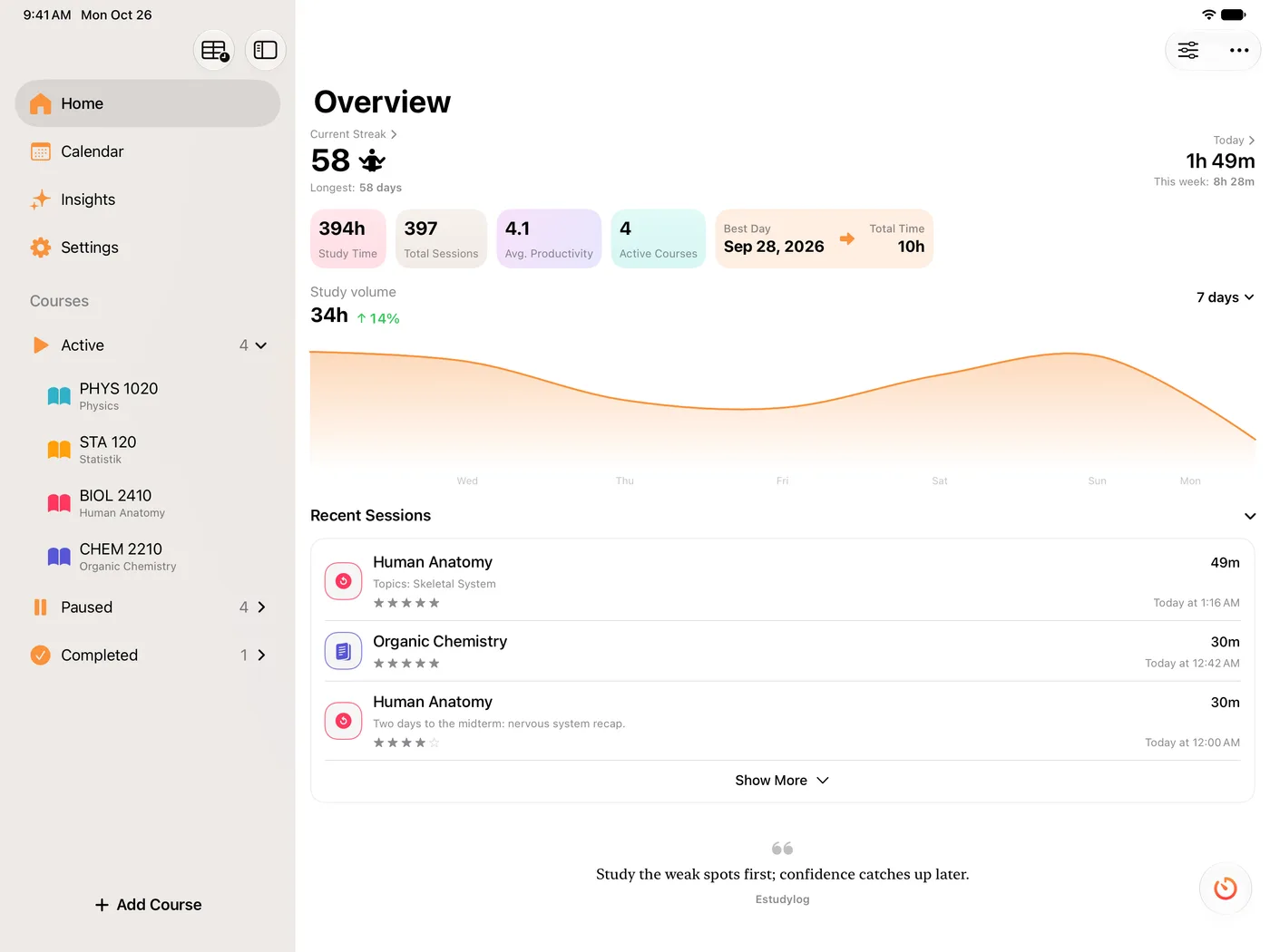
Your best day, and how the current one compares. Sits on the dashboard rather than buried in a stats screen.

Study volume

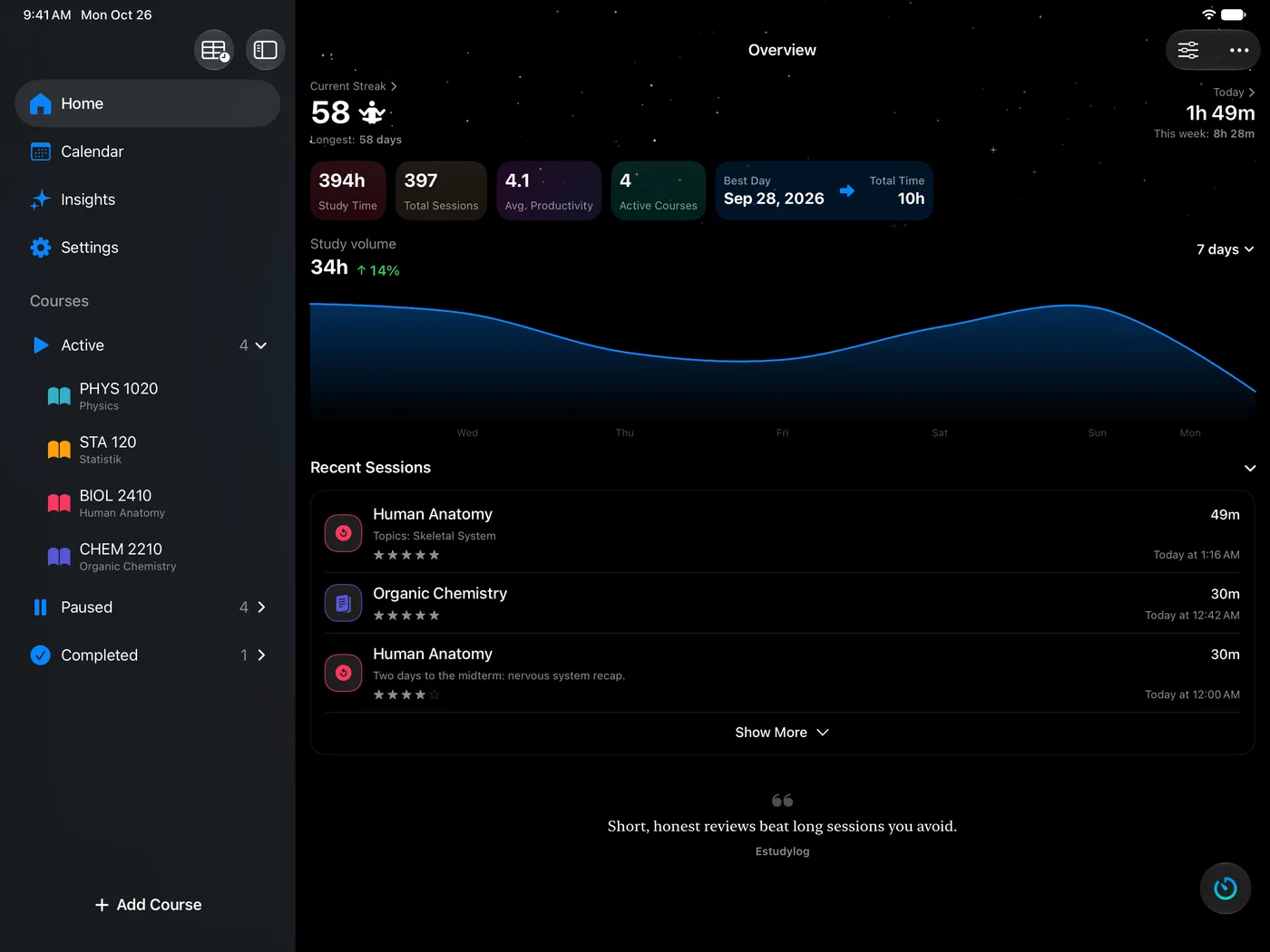
Hours over time across the range you choose, with an optional y-axis if you want to read exact values off it.

Ghost race

Your current pace drawn against your own past self on the dashboard chart, so today has something to beat.

Calendar

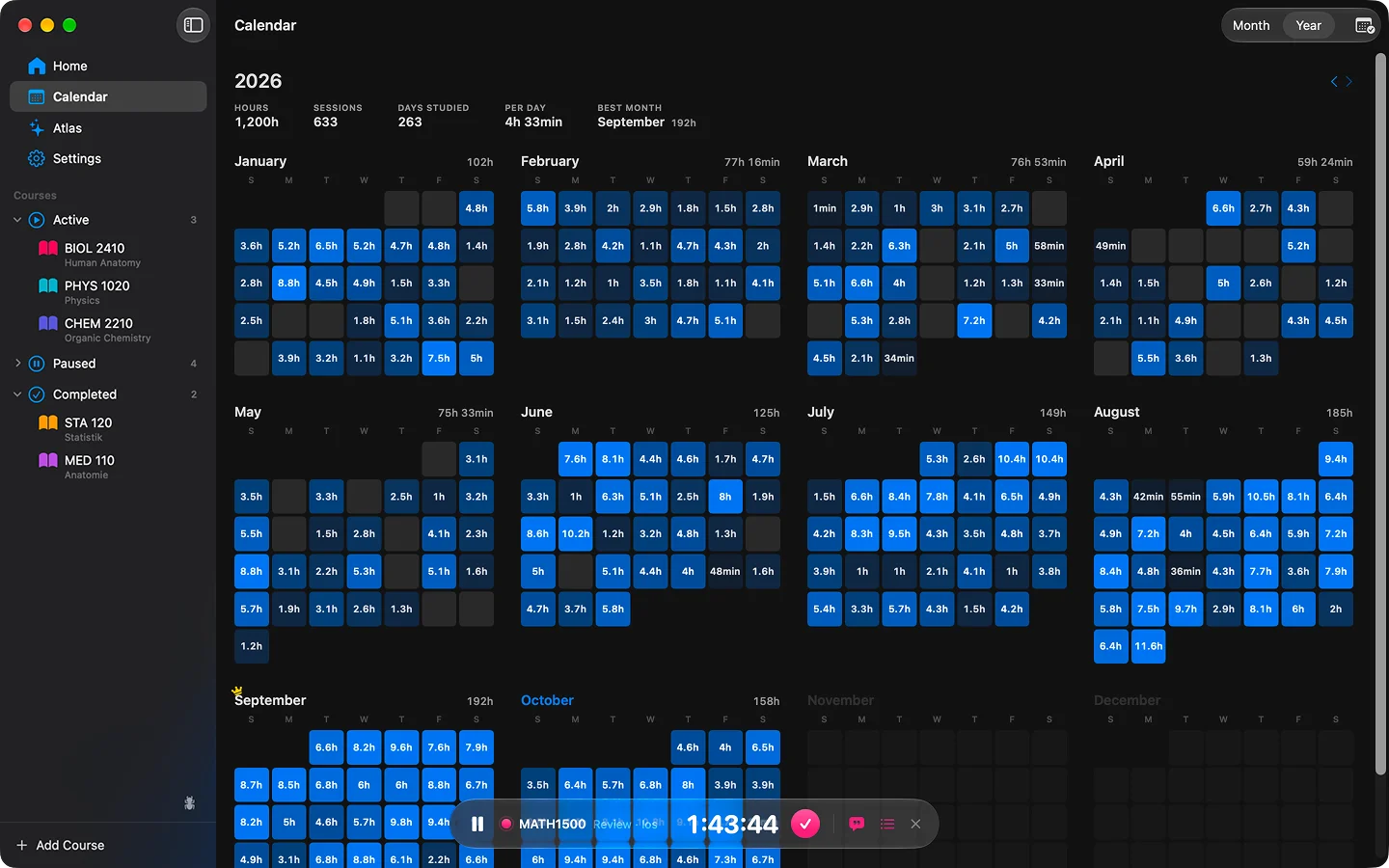
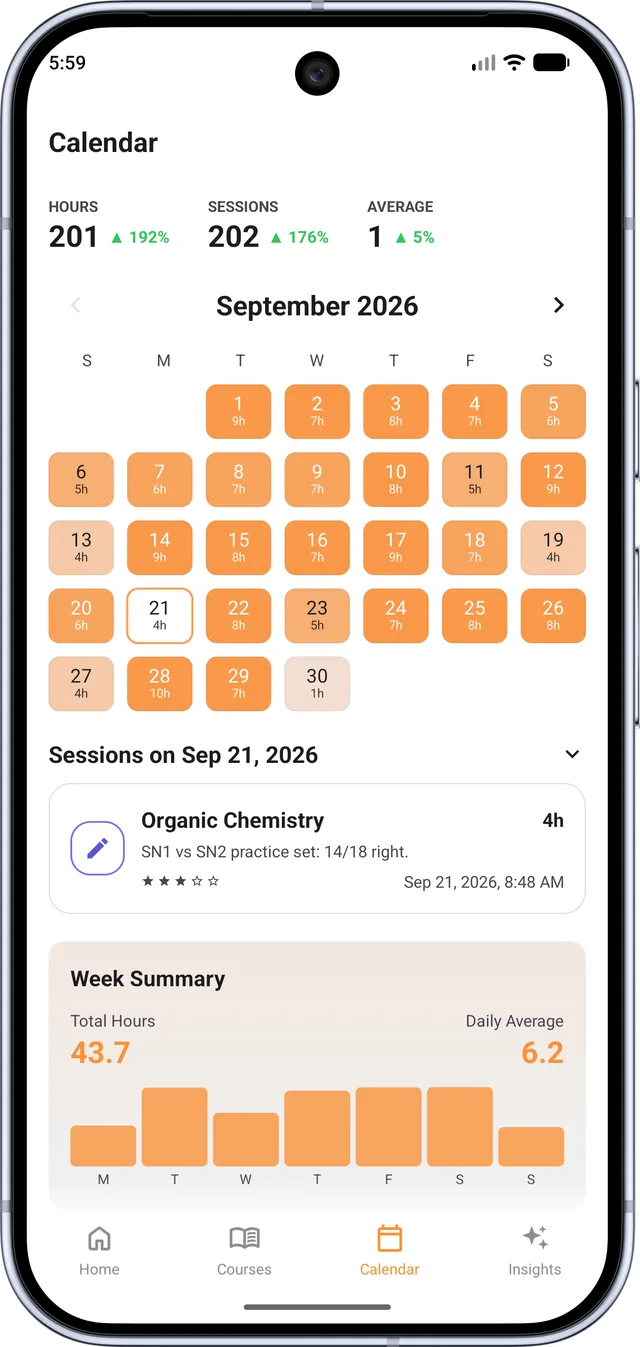
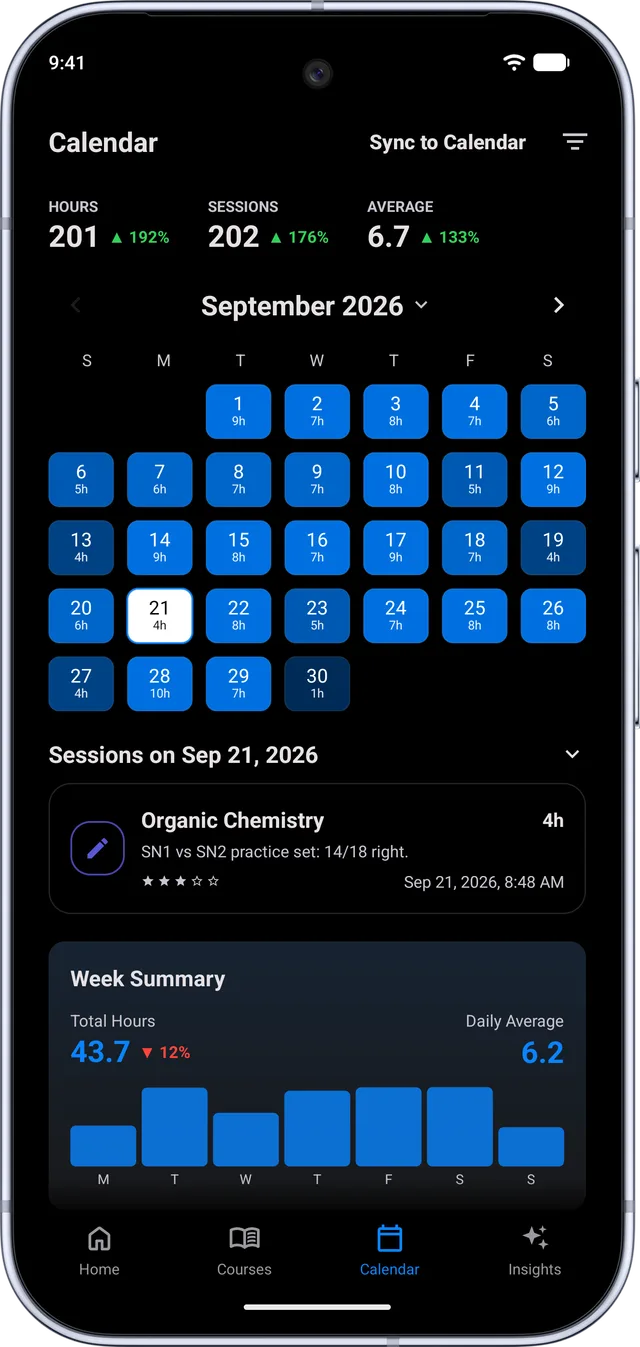
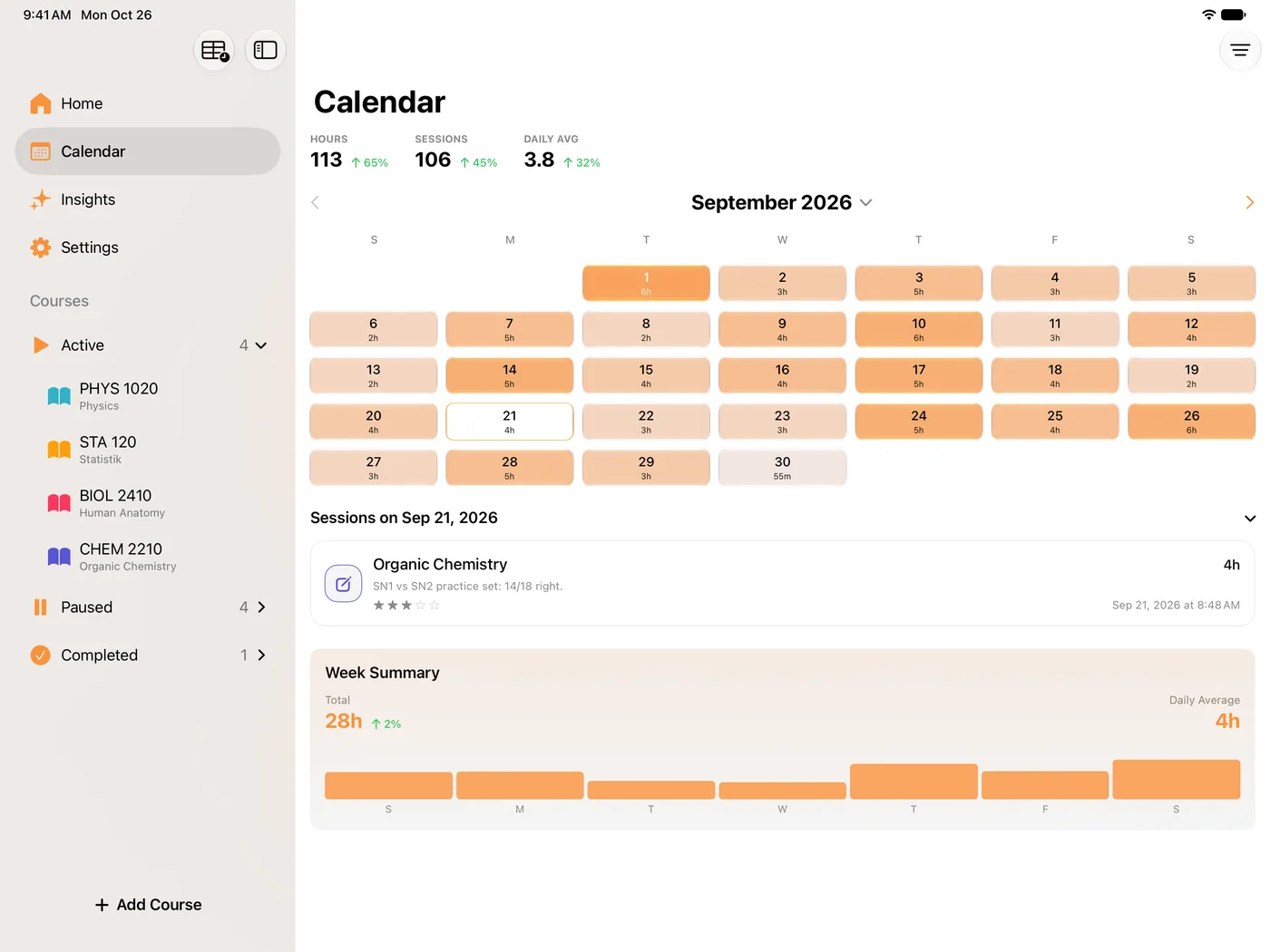
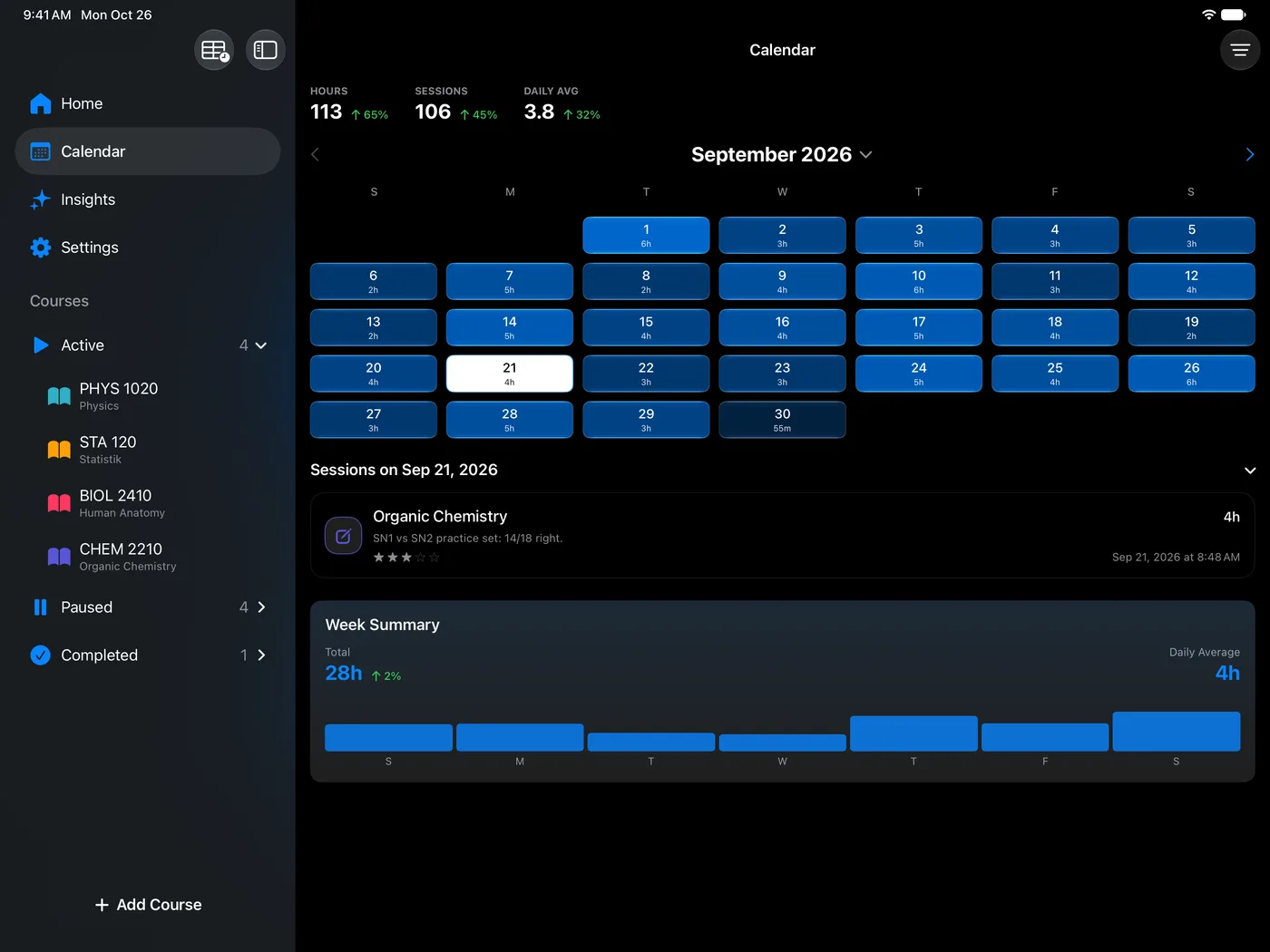
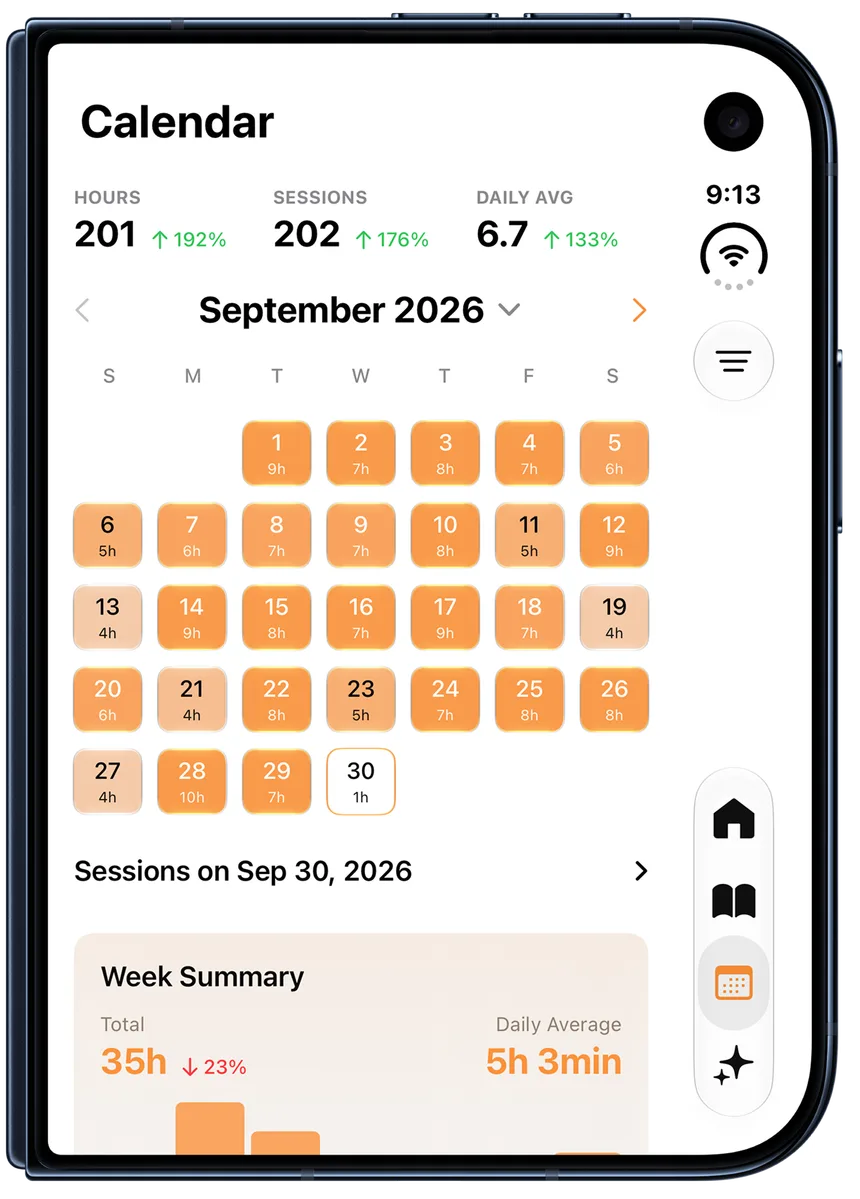
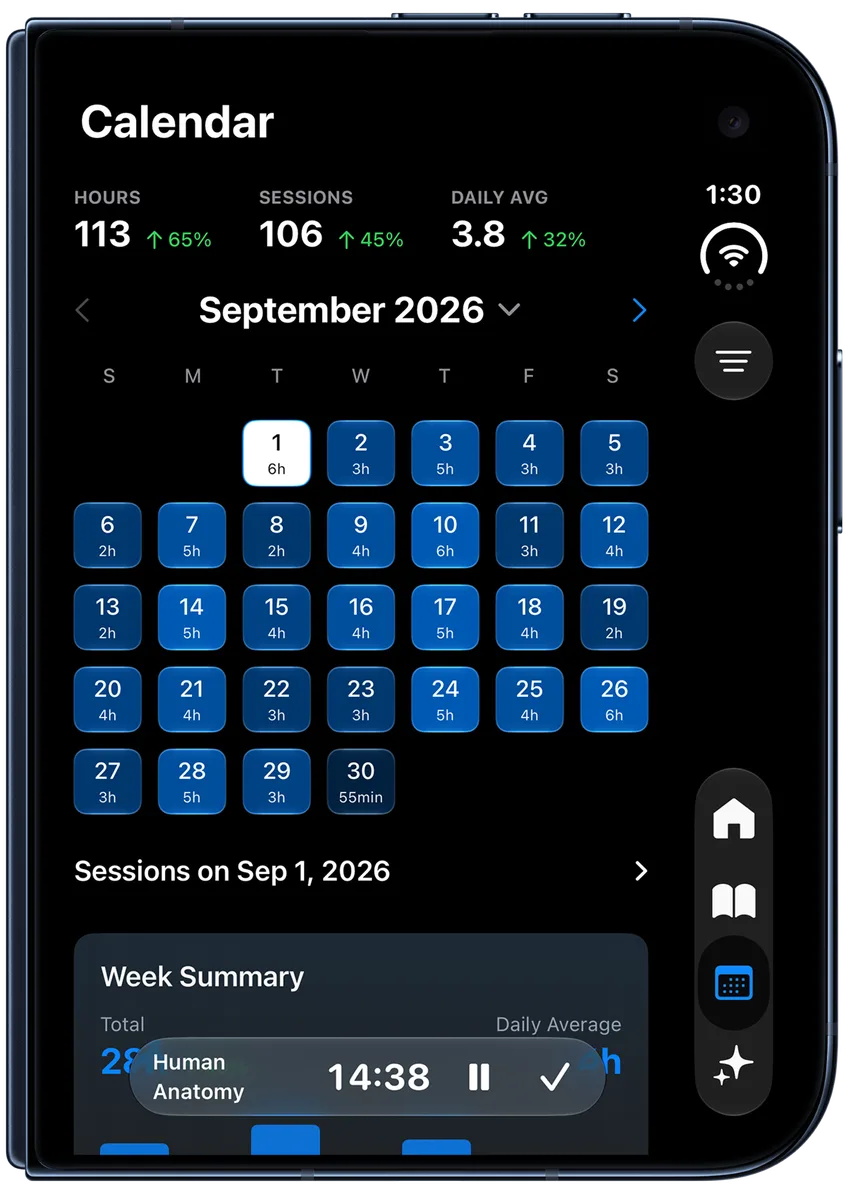
A month at a time, with the time studied on every day and a stats header summarising the month.

  • Per-day totals and the streak behind them
  • Daily average and month totals in the header
  • Tap into a day to see the sessions in it

Recent sessions and notes

The last sessions on the dashboard, expandable, and every note you have written for a course collected in one list on the course page.

Public study stats

How the wider Estudylog community is studying, as a world map of pulsing continents, a leaderboard, and a ranked breakdown you can page through.

04

Outside the app

A study session is easier to keep honest when it is visible without unlocking anything.

Live Activity and Dynamic Island

The running session on the lock screen and in the Dynamic Island, with the elapsed time ticking.

  • Pause and resume from the lock screen without opening the app
  • Comes back correctly after a relaunch mid-session

Widgets

Four kinds, so the home and lock screens can carry whichever part matters to you.

  • Lock screen streak widget
  • Course countdown to your next key date
  • Course schedule
  • Study metrics on the home screen

Apple Watch

A companion watch app that talks to the phone directly.

  • Start, pause, resume and finish from the wrist
  • Your courses and their summaries on the watch
  • Controls stay in sync with the phone and the Live Activity

Siri, Shortcuts and Spotlight

Ways into the app that skip the app.

  • App Shortcuts for starting a session by voice
  • Pause and finish as intents too, usable in your own Shortcuts
  • Courses and app screens indexed in Spotlight, so searching a course name opens it

Live sync across your devices

One running session, mirrored between your iPhone, iPad and Mac in real time. Start on the phone, and the Mac already knows.

  • Pause on one device and the others follow
  • Finishing anywhere ends it everywhere
  • A device with a badly wrong clock is quarantined so it can watch but never corrupt the session

Offline handling

Sessions saved without a connection are queued on the device and uploaded when the network returns, rather than being lost or blocking the save.

05

Personalisation

The part of the app that has nothing to do with productivity, and is used constantly anyway.

Home themes

Build the look of your Home tab, keep the ones you like, and browse what other people made.

  • A theme editor for colours and patterns across every themable surface
  • A saved library of your own themes
  • A community feed you can post to and heart from
  • Posts are anonymous: initials only, and whether it was designed in light or dark mode
  • Seasonal themes we ship ourselves, like the Halloween edition

Timetable wallpapers

Turn your class schedule into a phone wallpaper, built inside the app.

  • A maker pad for laying out the week
  • Several sticker and design styles
  • Saves straight into your Photos library, ready to set as a wallpaper

AI timetable import

Rather than typing your timetable in, hand it a screenshot of the one your university already gave you and let it read the schedule out.

  • Upload a screenshot; courses, days, times and locations are extracted
  • Review everything before anything is saved
  • Thumbs up or down on the result so bad extractions are known about
  • Two imports per 60 days

Ambient light

Estudylog can drive a real light in the room for the length of a session, in the colour of the course you are studying.

  • HomeKit for Hue, Nanoleaf, LIFX and Matter accessories, handled locally with no account
  • Govee bars and strips over the Govee cloud API using your own key
  • The light dims while the session is paused
  • Your previous light state is restored when the session ends
  • Nothing is created or requested until you turn the feature on, so no permission prompt appears otherwise

Calendar sync

Finished sessions written into a dedicated EstudyLog calendar on your device, so study time appears beside your classes.

  • Its own calendar, never mixed into your others
  • Only ever touches events it created itself, marked with its own identifier
  • Edits and removals are reconciled rather than duplicated
  • Optional backfill of your recent history when you switch it on

The same account and the same data, rebuilt for a machine with a keyboard, a menu bar and your actual course files on it. Not a stretched phone app. Here is what it does, ahead of release.

Coming to the Mac App Store at the end of September

It ships as part of the same app, so your subscription carries over with nothing to buy again.

01

Running a session on a Mac

A Mac has a menu bar, a keyboard and windows. The timer uses all three rather than sitting in a phone-shaped panel.

Menu bar timer

The session lives in the menu bar while you work, so it is visible without a window and controllable without switching apps.

  • A ticking clock, or just the minutes
  • Monochrome, or a chip in the colour of the course
  • Start, pause and finish from the menu

Floating mini window

A small always-on-top timer window for when the menu bar is not prominent enough.

  • Opens by itself when a session starts
  • Closes by itself when the session ends
  • Optional, from Settings

Global hotkeys

Control the session from whatever app you are actually working in, without ever focusing Estudylog.

  • Start, pause and finish from anywhere in the system
  • Record your own key combinations
  • An on-screen HUD confirms what just happened

02

Your course files

The one thing a Mac can do that a phone genuinely cannot: see the folder your coursework is already sitting in.

Course materials

Link the folders that belong to a course and the app lists what is in them, next to the course itself.

  • Quick Look, open in the default app, or reveal in Finder
  • PDF cover thumbnails so the list is scannable
  • The list updates when the folder changes underneath it
  • Read-only by design: the app can list and open your files, never write to them

Reader and markup

Open the reading for a course in the same window you are timing it in.

  • PDF reader with markup tools
  • Markdown files rendered, with a source editor when you want it
  • A file edited elsewhere reloads in place

03

Dashboard and history

The same data as the phone, laid out for a screen that can actually hold it.

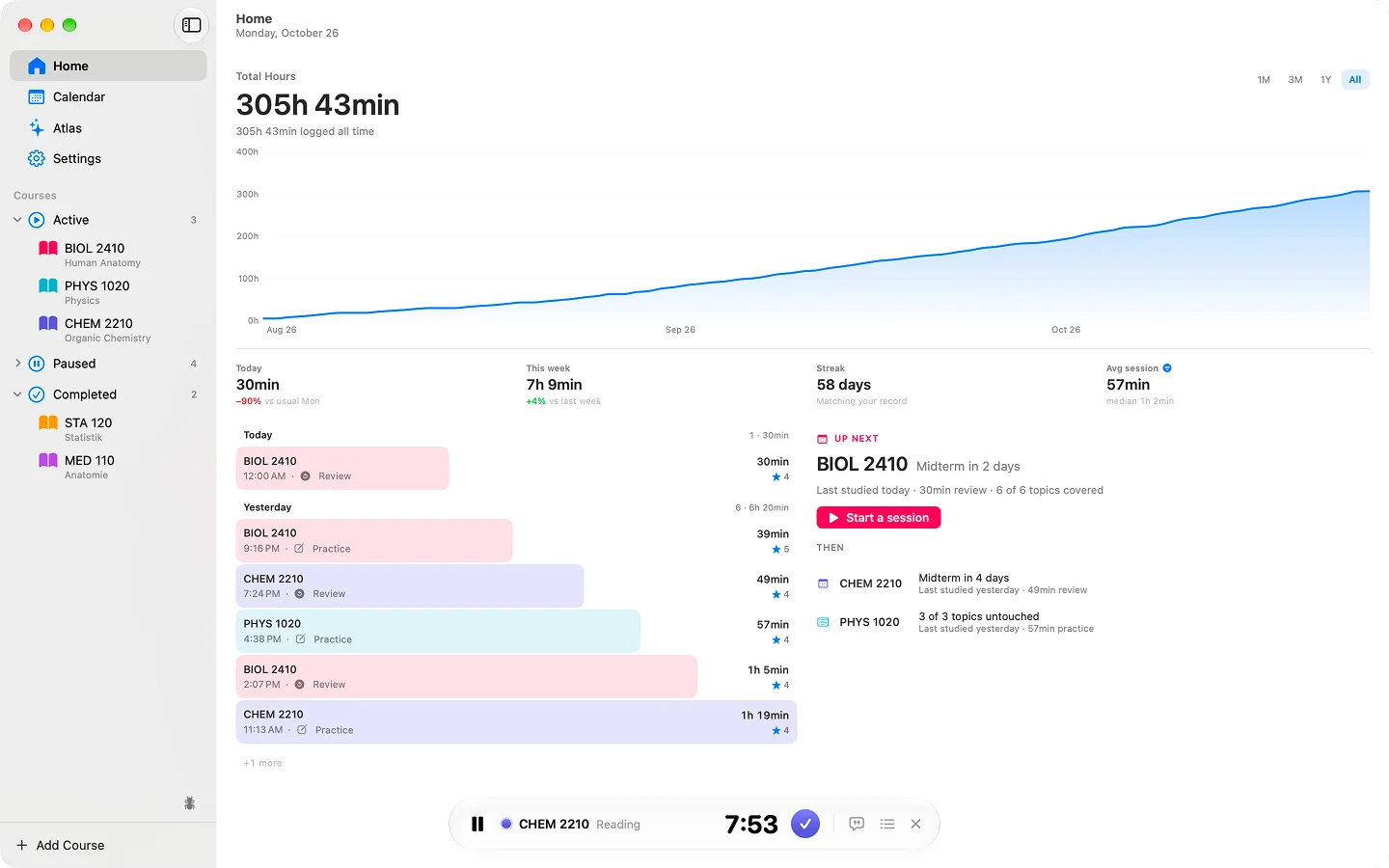
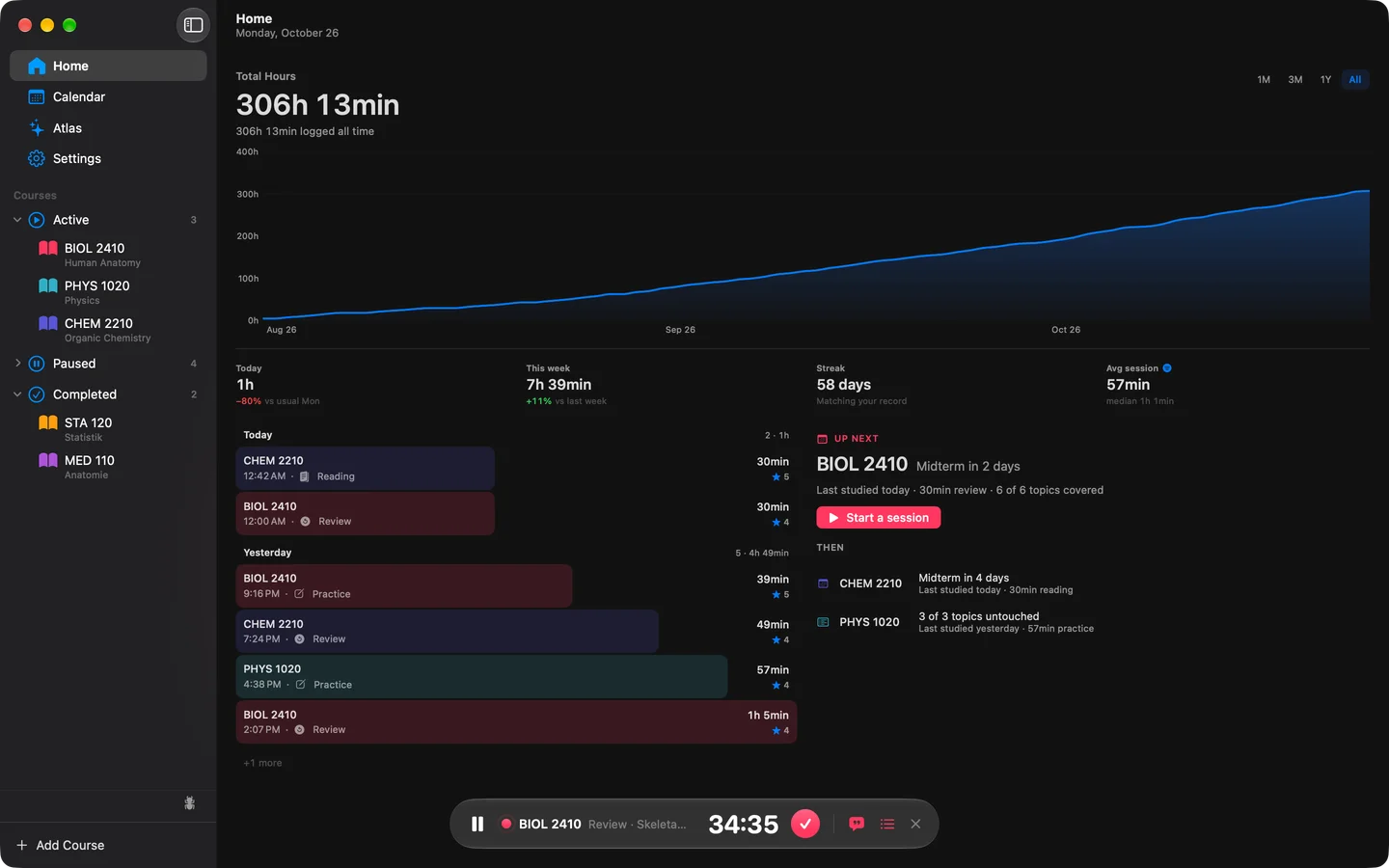
Overview

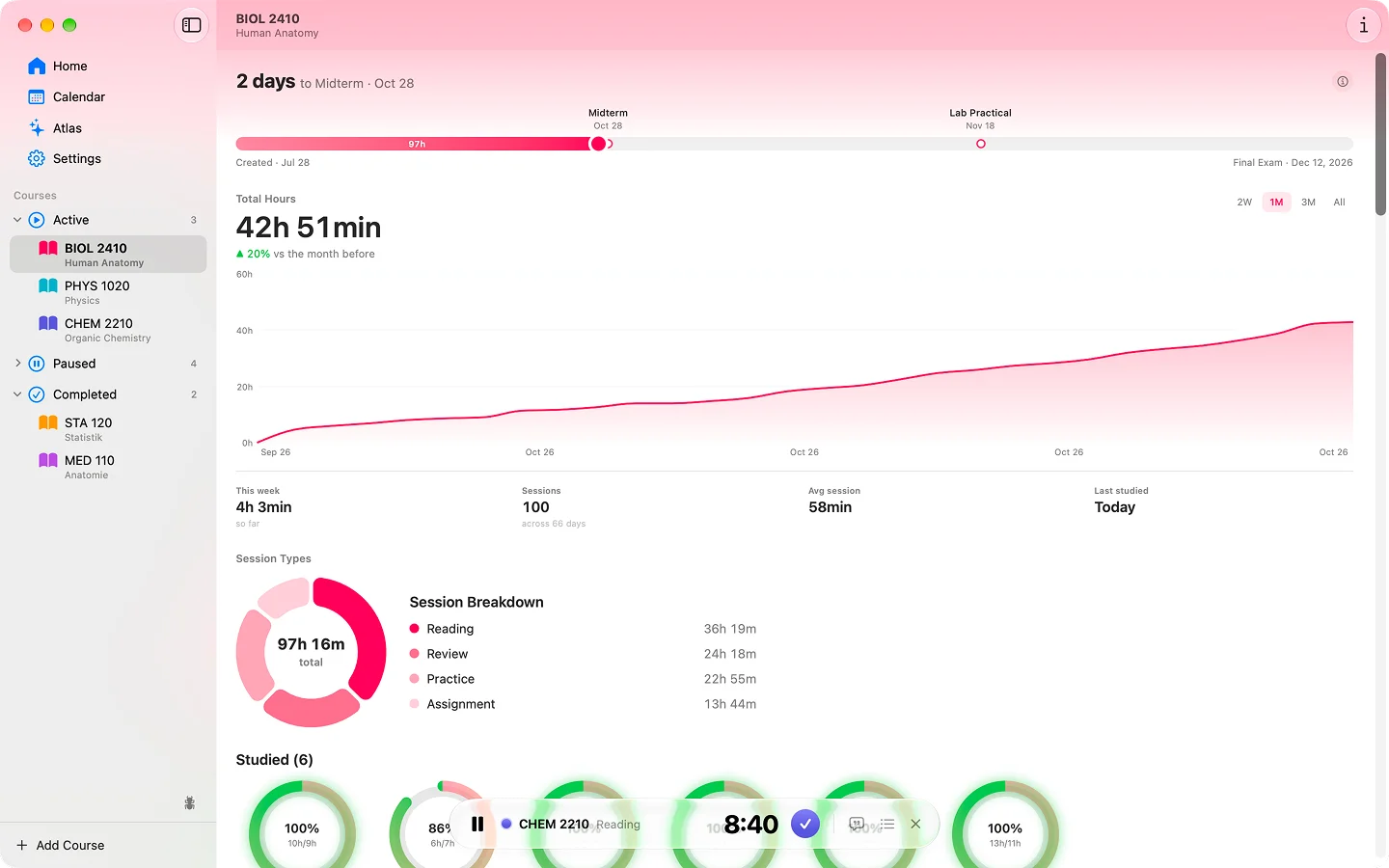
The Mac home: what you have open, what is coming, and the shape of your work.

  • Recent and open work, and what is up next
  • A session graph across the range you pick
  • An at-a-glance band of the numbers worth seeing daily

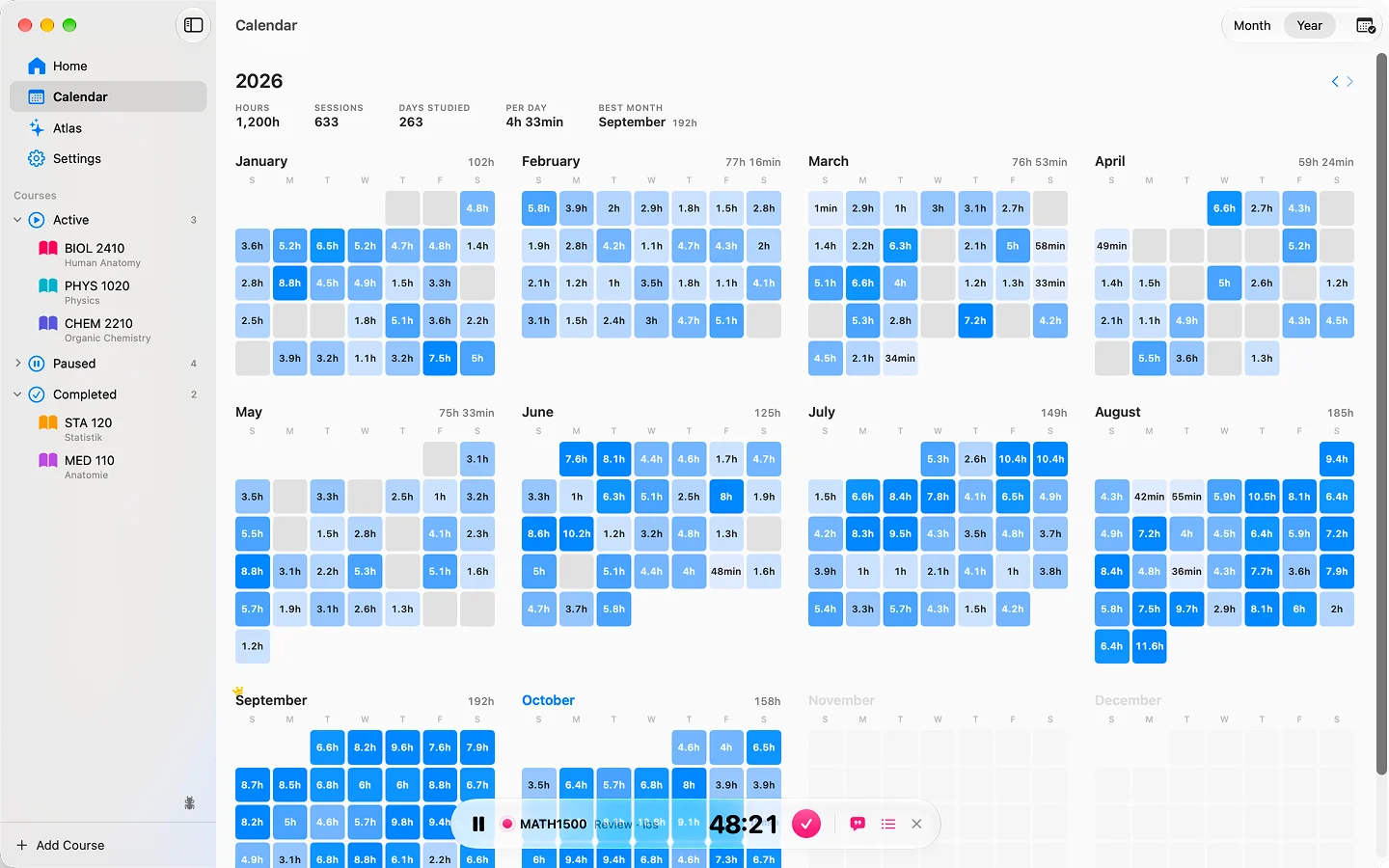
Calendar

A month view with the distribution of hours across your courses, and how each one moved against last month.

Local history archive

Every session you have ever logged is mirrored into a database on the Mac itself. History, the calendar and the analytics all read from that.

  • Works with no connection at all
  • Instant, because nothing is waiting on a network round trip
  • Consistency-checked against the server copy

Study models

A deeper analytics layer than the phone carries, including an insights engine and a lab for comparing what the models predict against what actually happened.

04

Mac details

The small things that decide whether something feels like a Mac app.

Fits into the system

  • Calendar sync into its own dedicated calendar
  • Launch at login
  • Habit reminders through system notifications
  • Links from the website open the app directly
  • The same account and the same live session as your iPhone and iPad

Estudylog for Android is on Google Play today, sharing an account and a database with the iPhone app, so your courses and sessions are the same wherever you open them.

Get it on Google Play

Free to download, and it syncs with the same account as iPhone and iPad.

What is in the Android app

The core of Estudylog, built natively for Android. It shares the same account, the same database and the same numbers as the iPhone app.

The study timer

The same pause-aware timer as iOS, ported directly. It persists locally, so it survives the app being closed or the phone restarting.

  • Pause and resume, with paused time excluded
  • Session type, notes and a focus rating when you finish
  • Saved into the same Firestore session record the other apps read

Courses and the bookshelf

Your courses as books on a shelf, with the same records behind them as the iPhone app.

  • Course details, key dates and topics
  • A university picker from the same catalogue
  • A course detail page with its timeline and progress rings

Coverage and progress

How far into each course you actually are, drawn rather than tabulated.

  • Donut chart for the course split
  • Progress rings and segmented progress bars
  • A course timeline from start to final exam

Calendar heat map

Your month as a heat calendar, so the gaps are visible at a glance.

Insights

The charts that read your history back to you.

  • Study volume over time
  • Week bars for the shape of a week
  • Ghost chart racing your current pace against your past self

Public study stats

The same community study figures as the iPhone app, in their own sheet.

Ready

Start turning study sessions into useful data.